Some Courses run to around a hundred Lessons. The Lesson chrome listed every one of them, so the sidebar of a Passive Lesson, the overlay list of an Active Lesson and the Free Preview’s sidebar all turned into long scrolls. The Lesson you were on sat somewhere in the middle.
Only the current Chapter is open
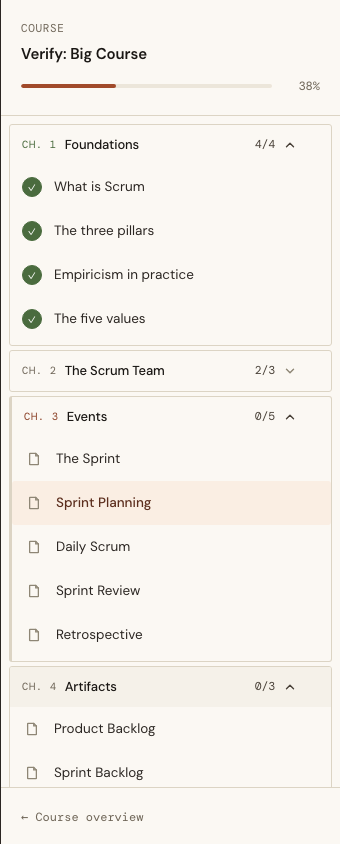
Every one of those lists now shows the current Lesson’s Chapter in full. Every other Chapter is a single row with its number, title, n/N completed and a chevron. Clicking the row expands the Chapter in place, without navigating, and several can be open at once:
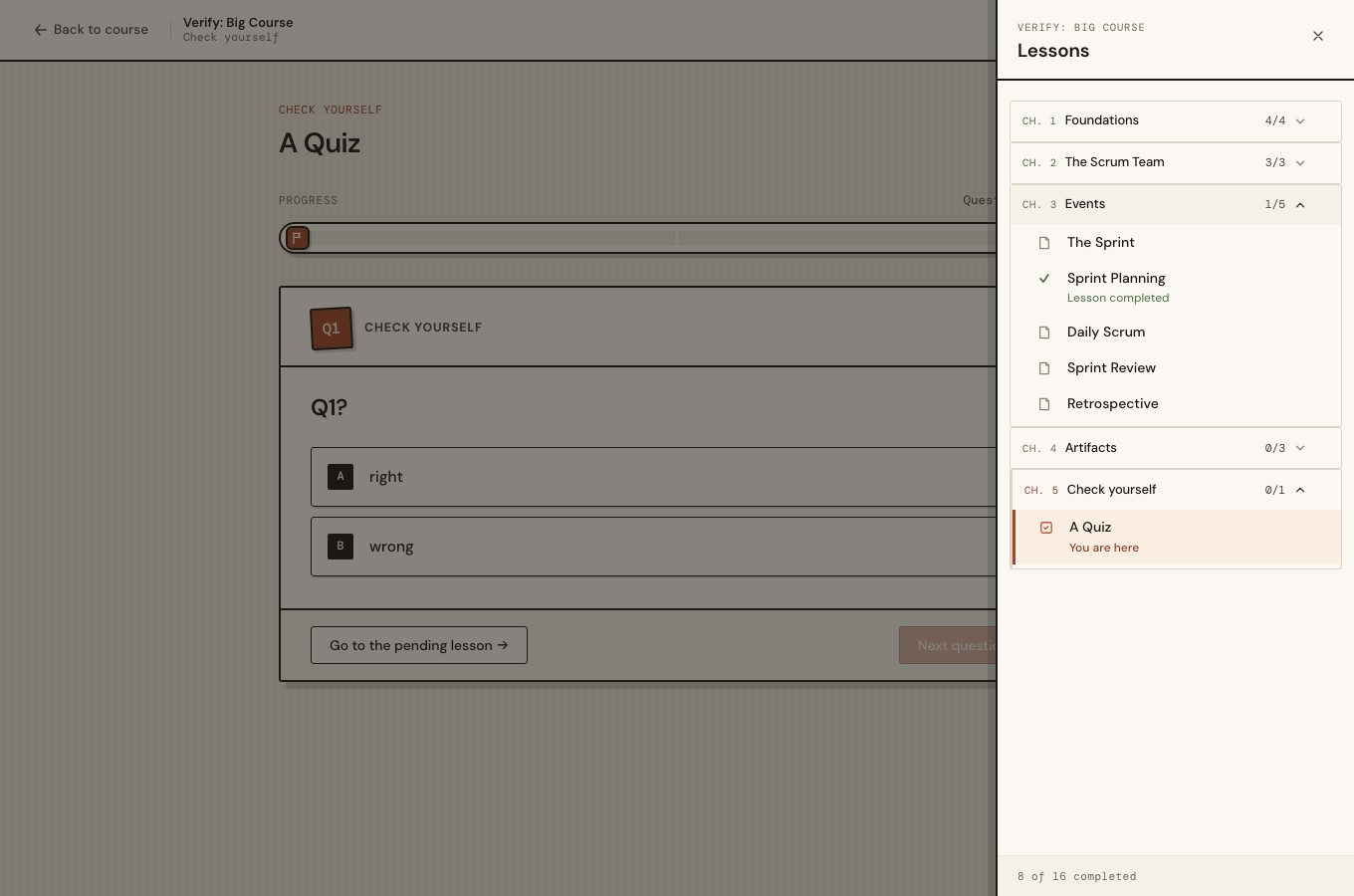
The Active Lessons’ overlay list uses the same rows. A completed Chapter is done (its number turns green), and the current one carries the clay border:
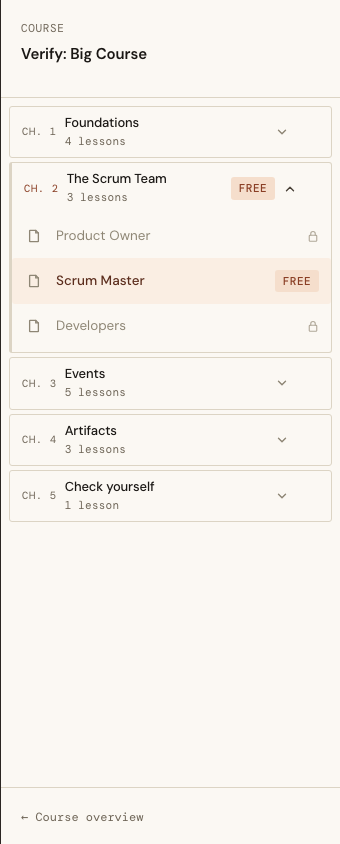
The Free Preview has no Enrollment, so it has no Progress to show. Its rows give the Lesson count instead, plus a “Free” badge on any Chapter that holds a Free Preview:
The state belongs to the browser
Which Chapters are open never reaches the server. That follows a rule CLAUDE.md learned the hard way from the Grouping deck: a class the server renders cannot be retired by the client, because the next patch puts it back.
So the server renders only data-start-open on the current Chapter. A ChapterToggle hook reads it once, then owns is-open and aria-expanded. A patch (for example “Mark as complete” re-rendering the sidebar) restores the server’s attributes, and the hook’s updated() puts the Student’s choice back in the same frame.
sequenceDiagram
    participant S as Server render
    participant D as DOM
    participant H as ChapterToggle hook
    S->>D: section#ls-{lesson}-ch-{chapter} [data-start-open]
    D->>H: mounted(): open = has data-start-open
    H->>D: add is-ready, is-open · aria-expanded
    Note over D,H: Student clicks a row
    H->>D: toggle is-open · aria-expanded
    Note over S,D: "Mark as complete" patches the sidebar
    S->>D: morph restores the server's class and aria-expanded
    D->>H: updated()
    H->>D: re-assert open/closed
“Nothing is remembered between Lessons” depends on one detail. Moving to another Lesson is a live navigation into the same LiveView, so handle_params runs and the sidebar is patched, not remounted. Left alone, the hooks would survive and carry the old open state across. The fix is to key every Chapter’s DOM id on the current Lesson (ls-412-ch-37), so a new Lesson gets new elements, new hooks, and only its own Chapter open.
Before the socket connects, CSS shows a data-start-open Chapter open as long as is-ready is absent. The dead render therefore already looks right.
Finishing a Chapter moves you on
The Next Step gained one case. When the Completion just recorded is the one that completes the current Lesson’s Chapter, the forward button reads “Next chapter: {title} →” and leads to that Chapter’s first Lesson without a Completion:
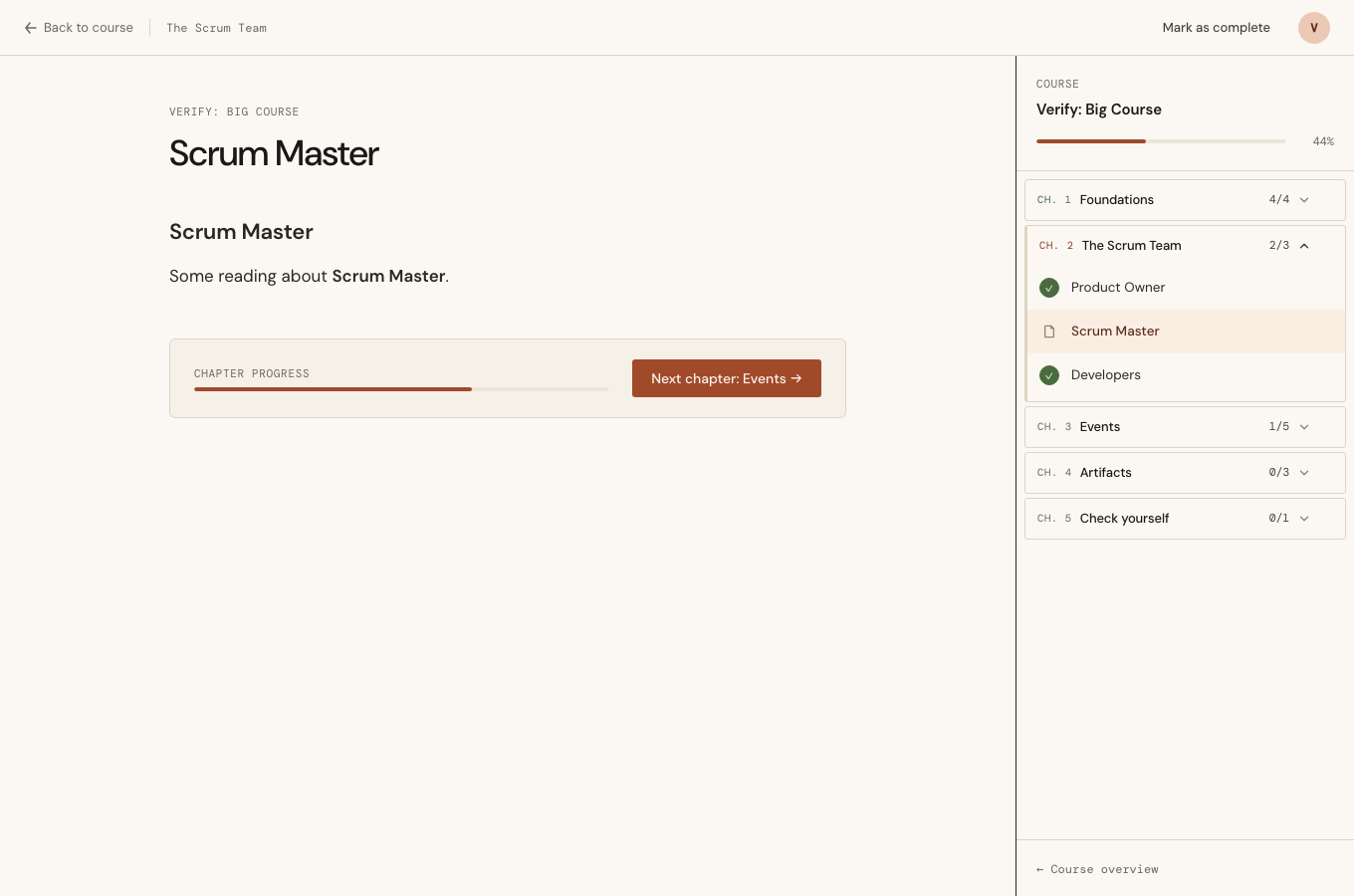
The interesting case is a middle Lesson completed last. Before this change, its forward button pointed at the following Lesson of the same Chapter, which was already complete. The new case is decided by the Completion, not by position, so it fires from any Lesson of the Chapter.
It fires once. NextStep.completes_chapter?/3 reads the Completions before recording, the same way completes_course? already did, so revisiting a finished Chapter or retaking a Quiz gets the ordinary next Lesson. If the completed Chapter is the last one and something earlier is still pending, the existing “Go to the pending lesson →” applies. If the same Completion also completes the Course, the finish wins.
Active Lessons record their Completion at the Check, so each one now keeps a :chapter_just_completed? assign next to its existing :course_just_completed?. The success modals and the Quiz’s result screen did not change; only the label on their button did.
A name that was already taken
The design-system prototype calls its card .chapter. Prefixing it to mm-chapter, as the house rule requires, collided with something else: the Bibliography page already uses .mm-chapter for its own Chapter headings. The first browser run showed it, and a LiveView test had also passed for the wrong reason. It asserted that .mm-chapter existed on the Bibliography page, and it found the Bibliography’s heading instead of the new component. The component is now mm-chap-*.
What would have caught it earlier: grep the stylesheet for the prefixed name before writing a new component’s CSS. One grep -n "\.mm-chapter" assets/css/app.css would have done it. A test should also assert on something only the new component renders, such as data-start-open or the toggle button, rather than on a class name that something else could own.