Every Active Lesson already called the same Chrome.lesson_chrome/1, and they still disagreed. Quiz, Word Match and Sentence Selection showed a permanent sidebar; Grouping showed none. The right side of the topbar was a type label on three of them and a Round chip on the fourth. Quiz and Sentence Selection were printed in the comic vocabulary (half-tone paper, ink outlines, offset shadows); Word Match and Grouping were still soft white cards.
The point of the item is recognition. A Student who opens an Active Lesson should know where they are before they read a word, and should already know how to get to the next Lesson.
One component, held in place by a test
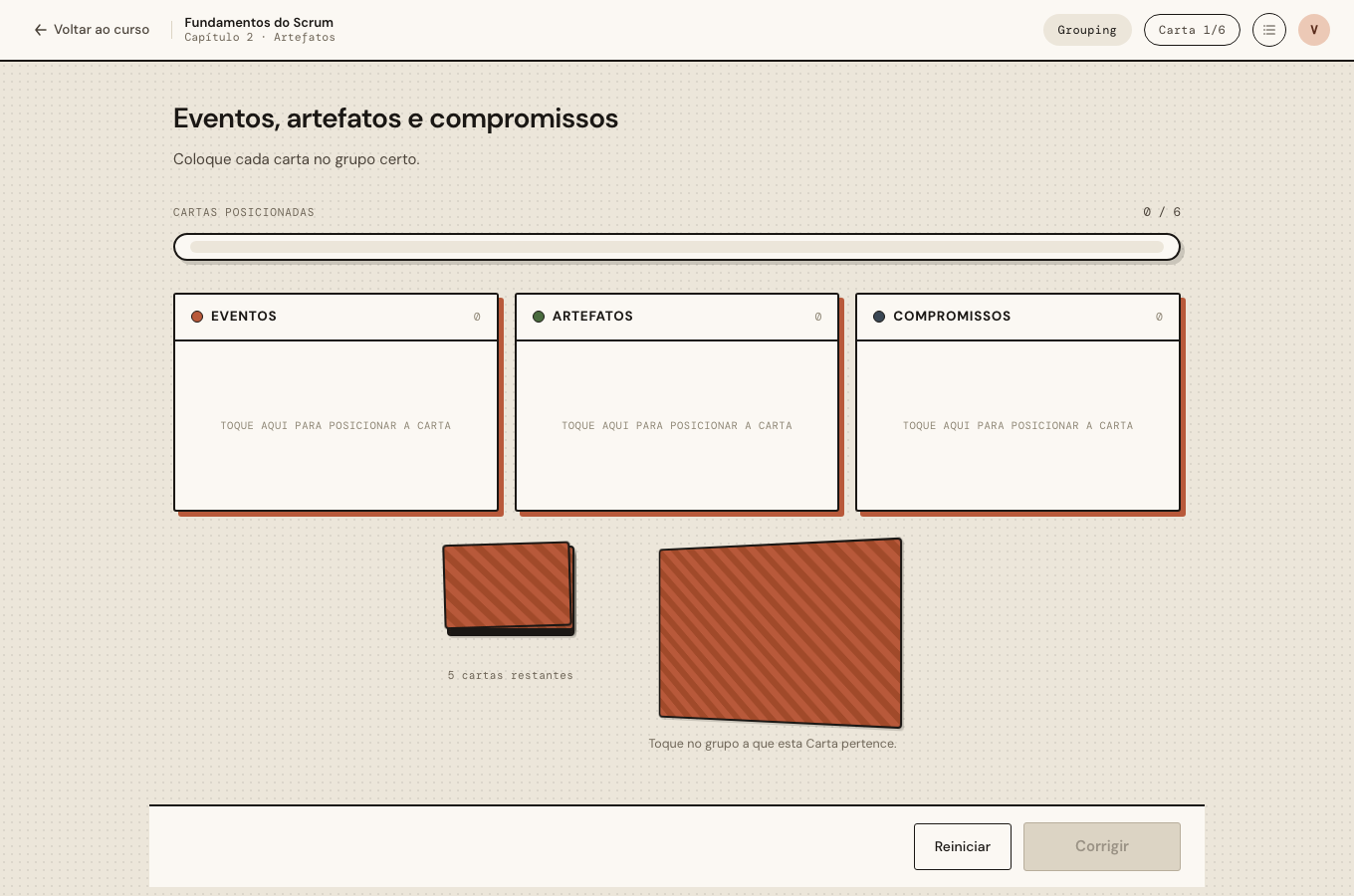
The new frame is Chrome.active_lesson_chrome/1. It takes a type_label and a progress string and nothing else that varies, so there is nowhere for a type to put a bar of its own. The right side always reads, in this order: the activity type, the progress slot, the toggle for the Lesson list.
| Type | Progress slot |
|---|---|
| Quiz | Pergunta 1/3 |
| Word Match | Lacunas 1/5 |
| Sentence Selection | Marcadas 0/3 |
| Grouping | Carta 1/6 |
An empty Lesson passes nil, and the slot hides itself (:empty { display: none }) rather than reading 0/0.
“Every Active type uses it” is the kind of rule that holds until the fifth type. So Forgia.Lessons.Type gained an active?/0 callback and an active_types/0 function, and a test walks the registry, renders a Lesson of each Active type and asserts exactly one shared bar, the toggle, the panel and no sidebar. A new type that renders its own bar fails the build on the day it is added.
The N that would have been an answer
The design files draw Sentence Selection’s chip as Marcados 0/3, where 3 is the number of correct Sentences. Telling a Student how many to pick hands over part of the answer, and Grouping already refuses its per-Category totals for exactly that reason. So the slot counts selections out of every Sentence on screen, the same total the comic bubble’s header already shows. All four slots then mean the same thing: out of the whole.
The panel the server must never touch
The sidebar is gone. In its place is an overlay that slides in over the page, lists the whole Course by Chapter, marks the current Lesson and the completed ones, and navigates on click.
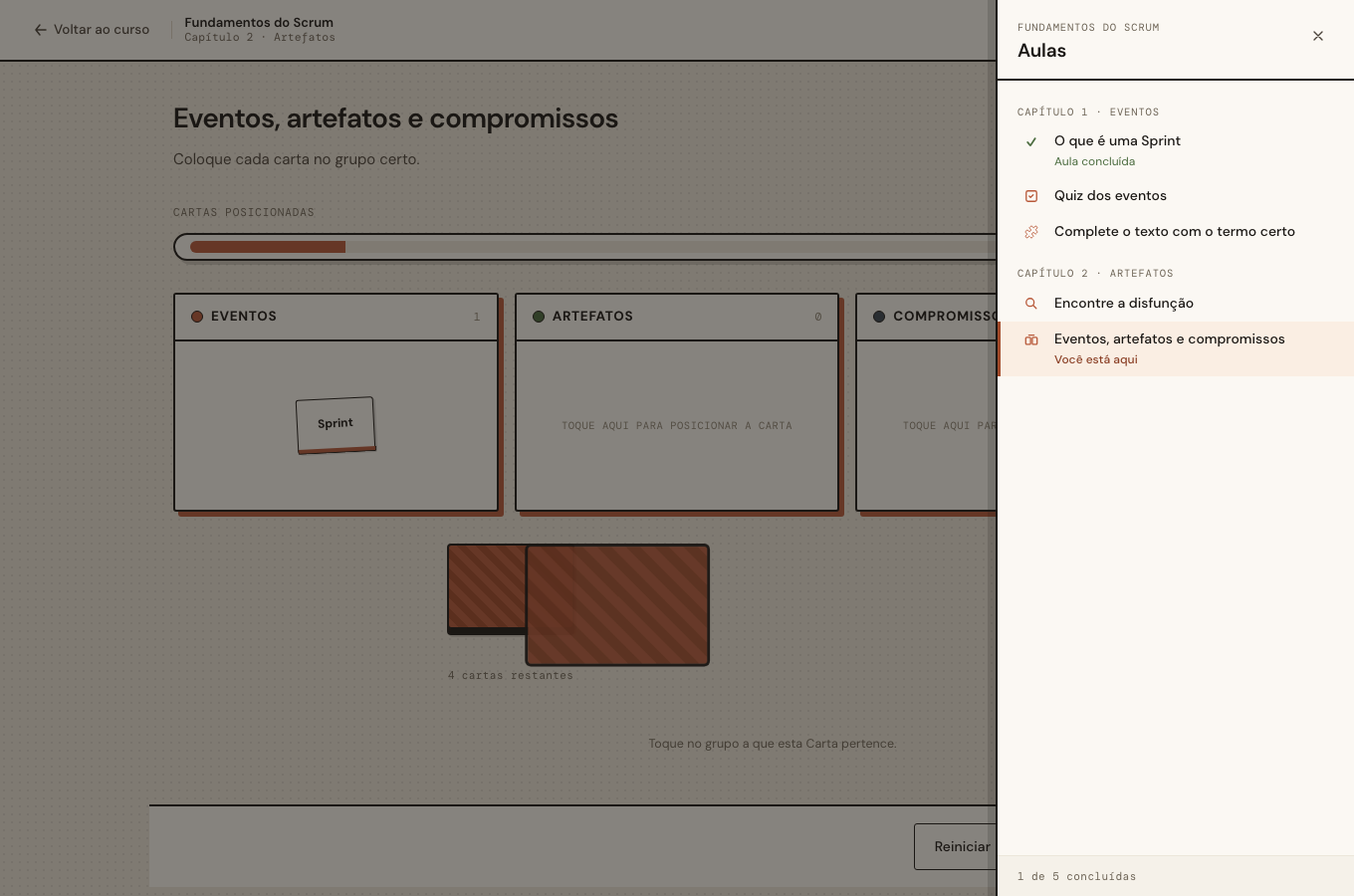
Whether it is open is the one piece of state that cannot live in the template. This repo has learned that twice already: a class the server renders gets restored by the next patch, so a panel opened by toggling a class on the overlay would snap shut the moment the Student’s Round changed underneath it. The LessonListPanel hook keeps the state on <html> instead, where no patch reaches. The Video sidebar’s hook already does the same.
sequenceDiagram
    participant S as Student
    participant H as LessonListPanel hook
    participant D as html[data-lesson-list]
    participant LV as LiveView
    S->>H: click toggle
    H->>D: set "open"
    H->>H: focus the panel, hold Tab inside it
    S->>LV: place a Card (behind the panel)
    LV-->>H: patch: progress Carta 3/6
    Note over D: untouched, the panel stays open
    H->>H: updated(): aria-expanded back to true
    S->>H: Esc / ✕ / click outside
    H->>D: remove
    H->>S: focus back on the toggle
    S->>LV: click a Lesson in the list
    LV-->>H: destroyed()
    H->>D: remove, so the next Lesson starts closed
aria-expanded lives on the toggle, which is inside the view, so the hook’s updated/0 puts it back after every patch. destroyed/0 clears the attribute, which is what makes “always closed on entering a Lesson” true even when the Student leaves through the panel itself.
None of this is visible to LiveViewTest, which never runs a hook. The browser pass covered it: 25 checks, including the panel staying open while a Card was placed under it, the Round and the filled Blanks coming back untouched, Tab held inside the panel, focus back on the toggle, and the <main> width unchanged with the panel open.
Two restyles, one rule
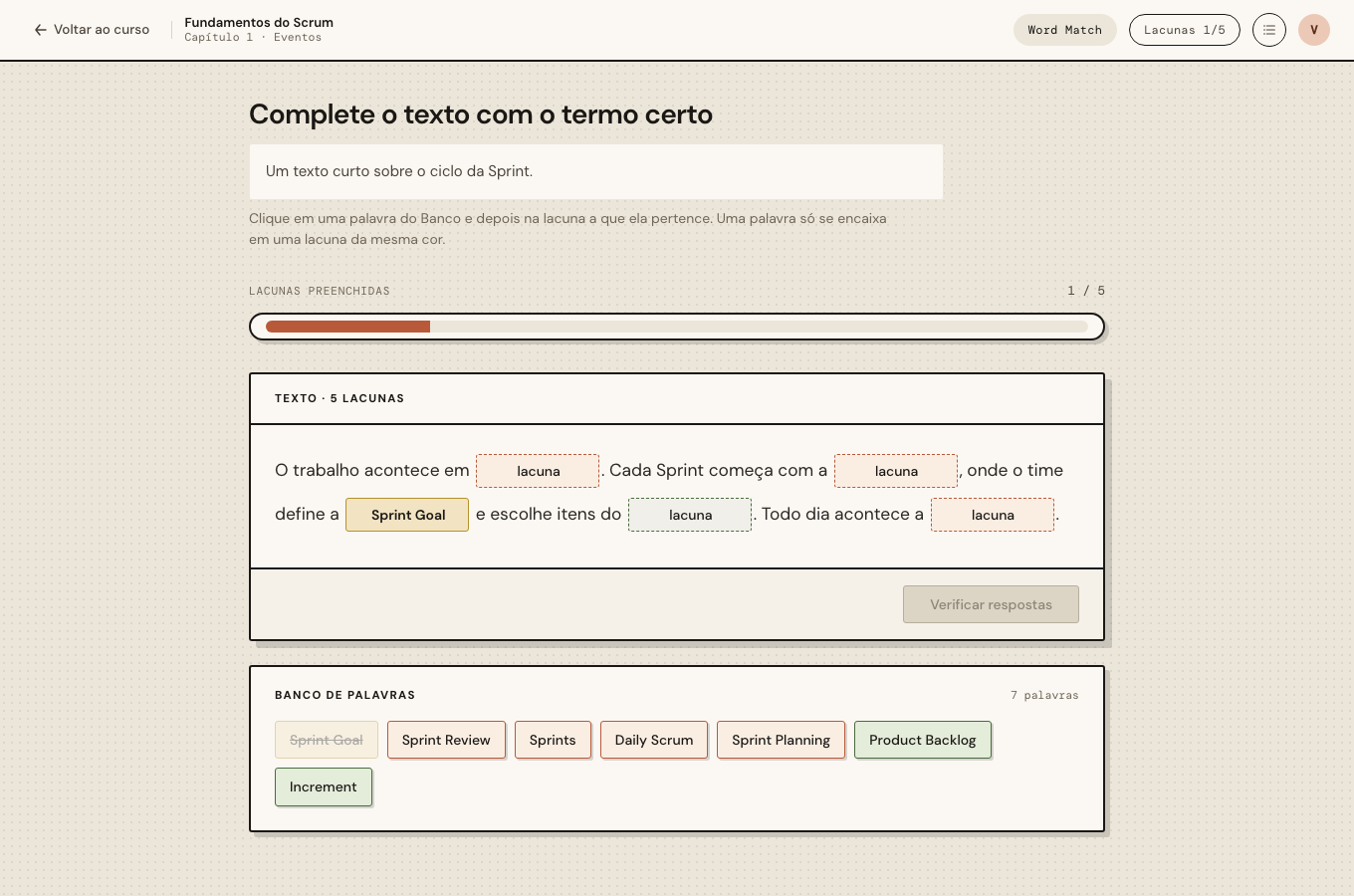
Grouping and Word Match moved to grouping-updated.html and word-match-updated.html. The mechanics did not change: same events, same server-held Round, same stable DOM ids on every Card and Blank.
Grouping’s markup already matched the drawing’s structure, so its restyle is an override block after the base rules. It wins only the properties it names, which leaves every shuffle, flip and verdict animation alone.
Word Match needed one more rule. A Character-less Sentence Selection reuses .wm-modal, and it has to look exactly as it did. So every Word Match rule is scoped under .wm-comic-main, a <main> class only Word Match renders. The plain Sentence Selection never matches it.
Worth doing differently
The -updated files drew a variant switch, an “i” notes button and a left-side list button, and they named their counts in a way that leaked an answer. The Conversation said to treat the topbars as examples only, which was the right call, but it meant re-deriving the bar from prose. Next time, the prototype could mark its demo furniture in the markup (a data-demo attribute, say) so the port can drop it without a judgement call, and a design that shows a count could say which count it means.