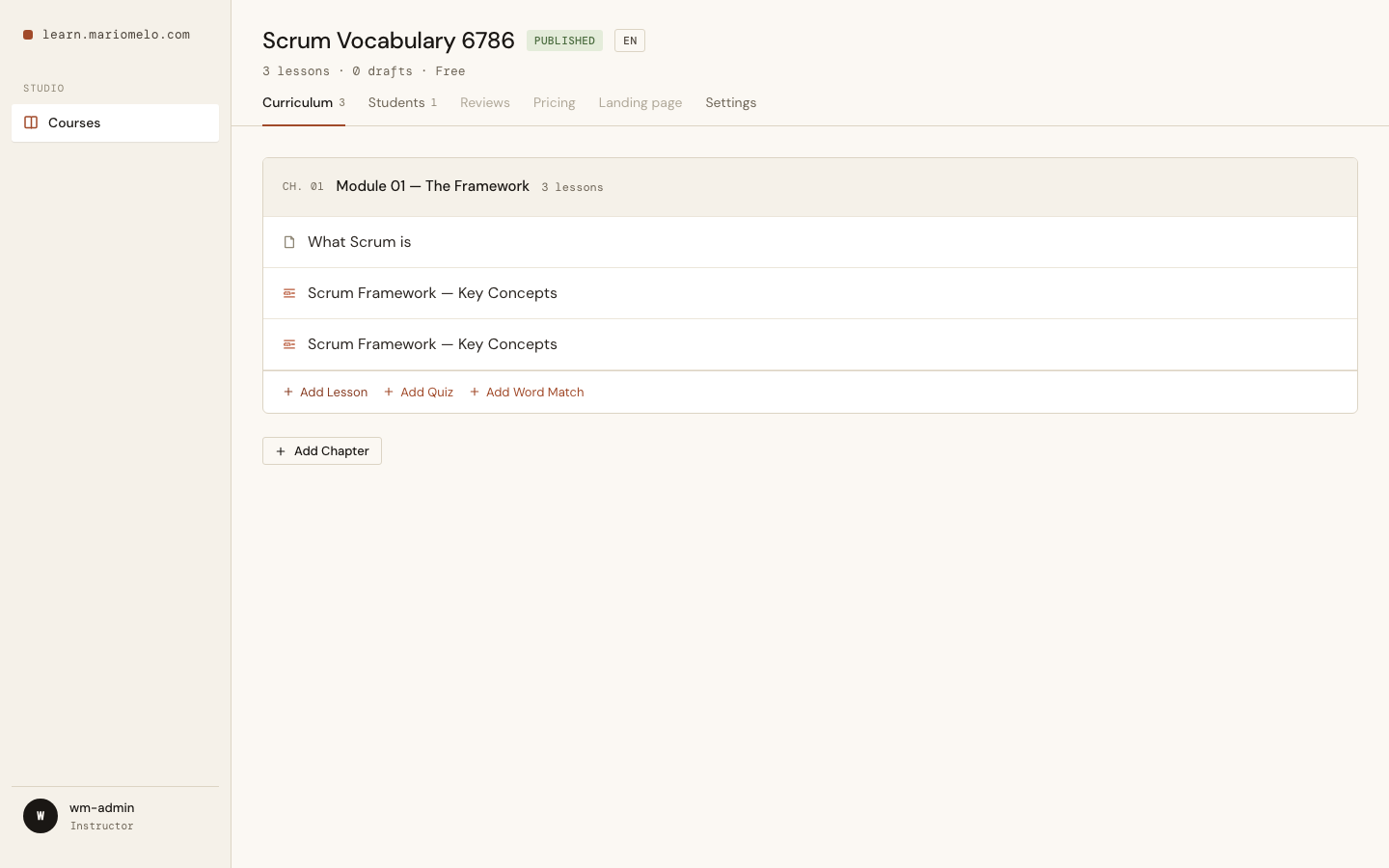
Text, Video, Quiz — and now Word Match. It’s a passage of prose with words removed, leaving Blanks the student refills from a Word Bank. Multiple choice tests whether you can recognize a term in a lineup; a Word Match tests whether you can produce it in context. For a vocabulary-heavy domain like Scrum, that’s the difference between knowing “Sprint Retrospective” is a word and knowing where it belongs in a sentence.
The whole slice ships end to end: authoring, storage, and the student solve loop.
Authoring: four delimiters, four Categories
The instructor writes the passage as one plain text field and wraps each Blank in one of four delimiter pairs. The pair is the Category:
| Delimiters | Category | Renders as |
|---|---|---|
[[ ]] | Category 1 | clay |
(( )) | Category 2 | moss |
<< >> | Category 3 | slate |
{{ }} | Category 4 | amber |
Scrum organizes work into fixed-length iterations called [[Sprints]].
Each Sprint begins with ((Sprint Planning)), where the team defines a
<<Sprint Goal>> and selects items from the {{Product Backlog}}.
A second textarea holds the Distractors — words that go into the Bank but belong in no Blank, there purely to make the exercise harder. They take the same delimiters, because a Distractor needs a Category like any other word.
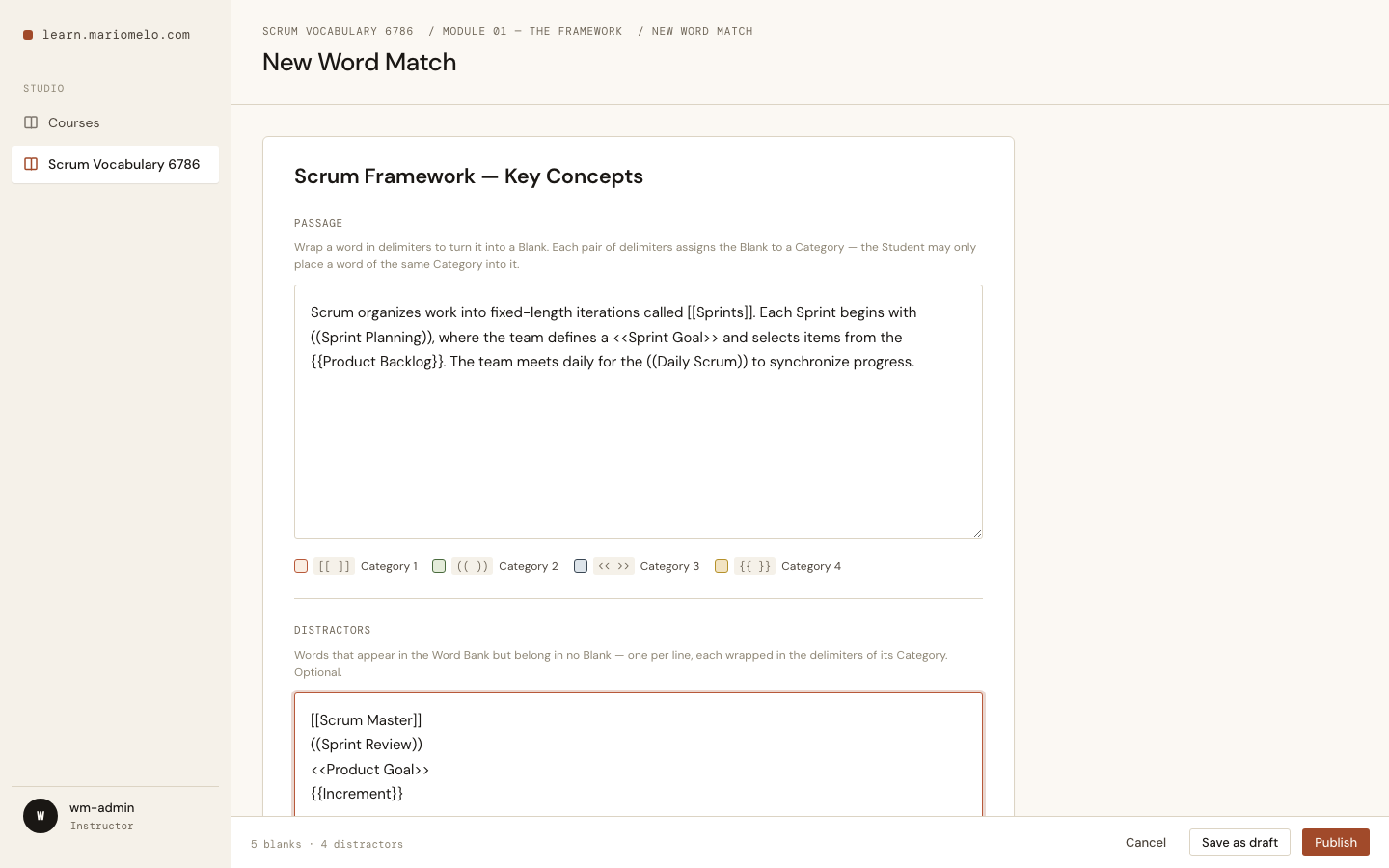
A Category is a colour and nothing more. It has no name, and the instructor never gets to give it one. That sounds like a missing feature; it’s the opposite, and I’ll come back to why.
Save runs the parser, or refuses
There’s no autosave here, and that’s deliberate. A half-typed [[Sprint is invalid by our own rules, so autosave would either throw an error on every keystroke or cheerfully persist a broken document. Instead, saving parses — and if the source is malformed, nothing is persisted and the error names the offending line.
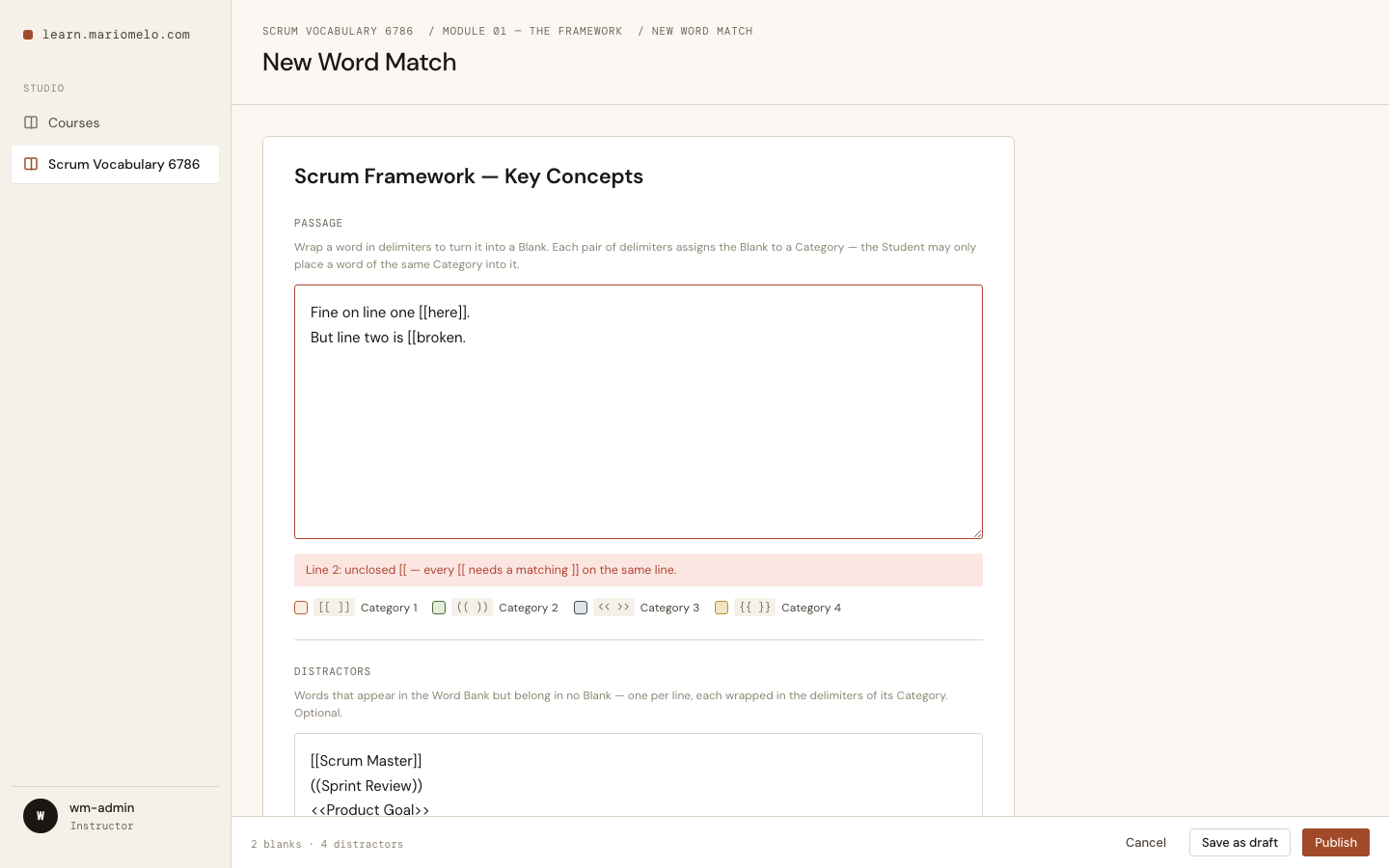
Four ways to get it wrong, all refused:
- an unclosed delimiter —
Line 2: unclosed [[ — every [[ needs a matching ]] on the same line. - an empty Blank —
[[ ]]with no word in it - a passage with no Blanks at all
- a Distractor that duplicates a Blank’s answer in the same Category
That last one is the interesting rule, and it exists because of how checking works. Hold that thought.
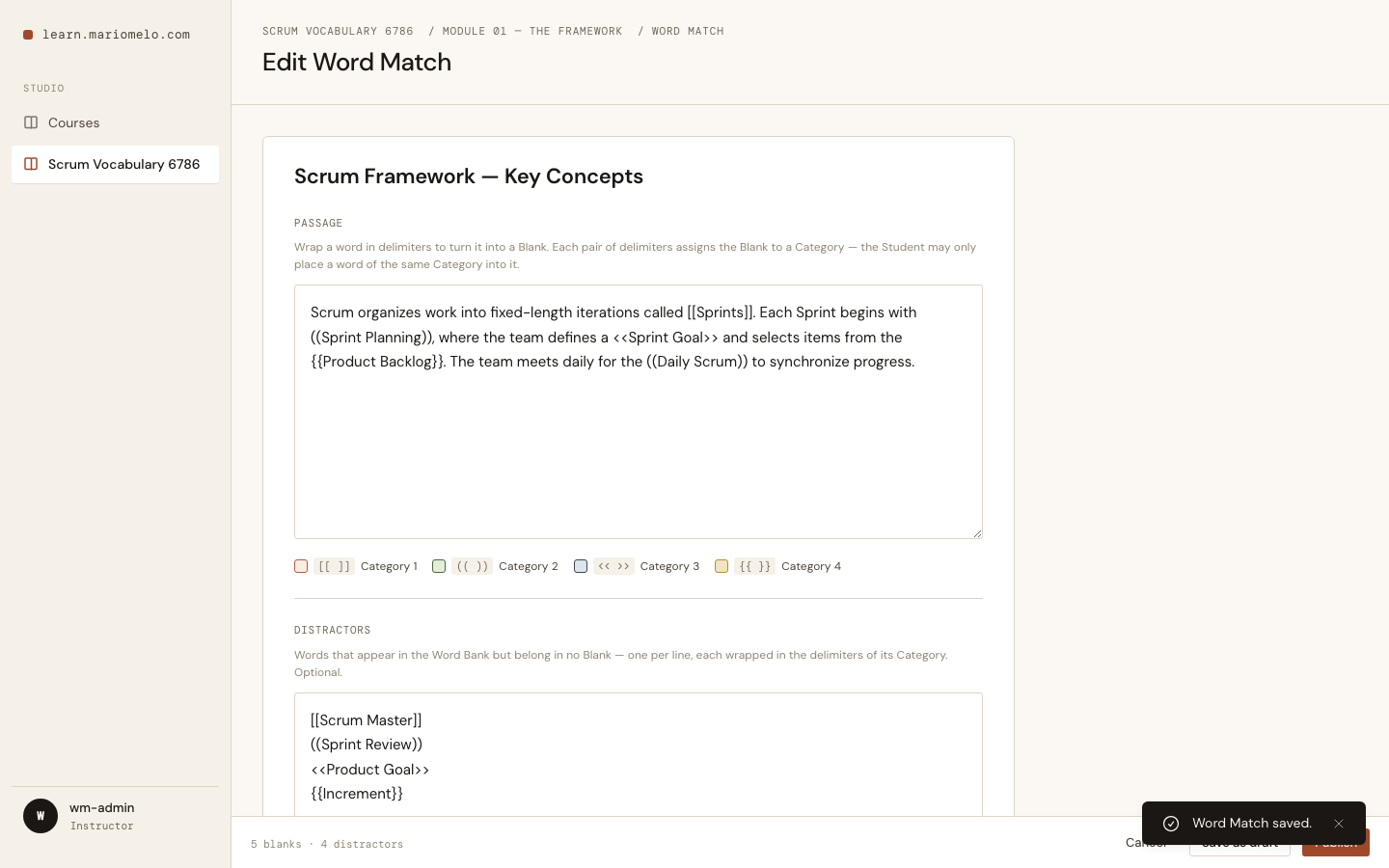
Reopening a saved Word Match hands back the exact source that was typed, delimiters intact — the raw text round-trips, not a reconstruction of it.
The document
One jsonb column on lessons holds the whole thing. No new table: a Blank is never queried on its own, so relational rows would buy joins and no query we’d ever run. It follows the Question.options precedent — jsonb, string keys, stable ids minted in the changeset.
erDiagram
    CHAPTER ||--o{ LESSON : contains
    LESSON ||--o| WORDMATCH : "word_match (jsonb)"
    WORDMATCH ||--o{ SEGMENT : passage
    WORDMATCH ||--o{ BLANK : "answer key"
    WORDMATCH ||--o{ CHIP : "word bank"
    WORDMATCH {
        string source "raw, delimiters intact"
        string distractor_source
    }
    SEGMENT {
        string type "text | blank"
        string text "text runs only"
        string id "blank id"
        int category
    }
    BLANK {
        string id
        int category
        string answer "NEVER rendered"
    }
    CHIP {
        string id "independent of blank id"
        int category
        string text
    }
Note what the SEGMENT carries: a Blank’s id and Category, but not its answer. The answer lives only in BLANK, and BLANK is never rendered. That split is the entire point of the design.
The answer key never reaches the browser
A Word Match renders every Blank and the whole Bank into the page at once. The obvious modelling — give each Blank an id, give the chip that fills it the same id, check by comparing ids — puts the complete answer key in the DOM. view-source and you’re done.
So: Bank chip ids are independent of Blank ids, and they’re minted after the Bank is shuffled. Mint them in source order and c1 would always answer b1 — the id sequence would hand over the answer key no matter how the chips were then displayed.
defp bank_from(blanks, distractors, shuffle) do
  answers = Enum.map(blanks, &%{"text" => &1["answer"], "category" => &1["category"]})
  distractors = Enum.map(distractors, &%{"text" => &1["text"], "category" => &1["category"]})

  (answers ++ distractors)
  |> shuffle.()
  |> Enum.with_index(1)
  |> Enum.map(fn {word, i} -> Map.put(word, "id", "c#{i}") end)
end
You can see it working in the seed data: b1→c10, b2→c1, b3→c3. The numbers carry no information.
Checking happens on the server, and compares the placed chip’s text against the Blank’s answer text:
def check(document, placements) do
  chips = Map.new(bank(document), &{&1["id"], &1})

  wrong =
    Enum.count(blanks(document), fn blank ->
      case Map.get(chips, placements[blank["id"]]) do
        nil -> true
        chip -> chip["text"] != blank["answer"]
      end
    end)

  if wrong == 0, do: :all_correct, else: {:errors, wrong}
end
Comparing text rather than chip id isn’t just about secrecy — it fixes a real bug. A passage may legitimately use one word for two Blanks (“The [[Sprint]] ends… each [[Sprint]] repeats…”). That mints two chips with different ids, so an id comparison would score the right word in the right Blank as wrong, half the time. Text comparison makes either identical chip satisfy either Blank, with no special case.
And that is why a Distractor can’t duplicate a Blank’s answer inside the same Category: text comparison would score it correct. It wouldn’t be a distraction, it’d be a second right answer. The parser rejects it at authoring time, so the scoring bug is impossible to author rather than merely unlikely. (The same word in a different Category is fine — the Category rule already forbids placing it there.)
All of this is written down as an ADR, because it’s exactly the kind of design a well-meaning refactor would undo. Giving the chip and the Blank a shared id looks like a simplification — right up until you read the page source.
Solving it
The student sees the passage, the Blanks as empty coloured slots, and the shuffled Bank — every Blank’s answer plus every Distractor, with nothing distinguishing one from the other.
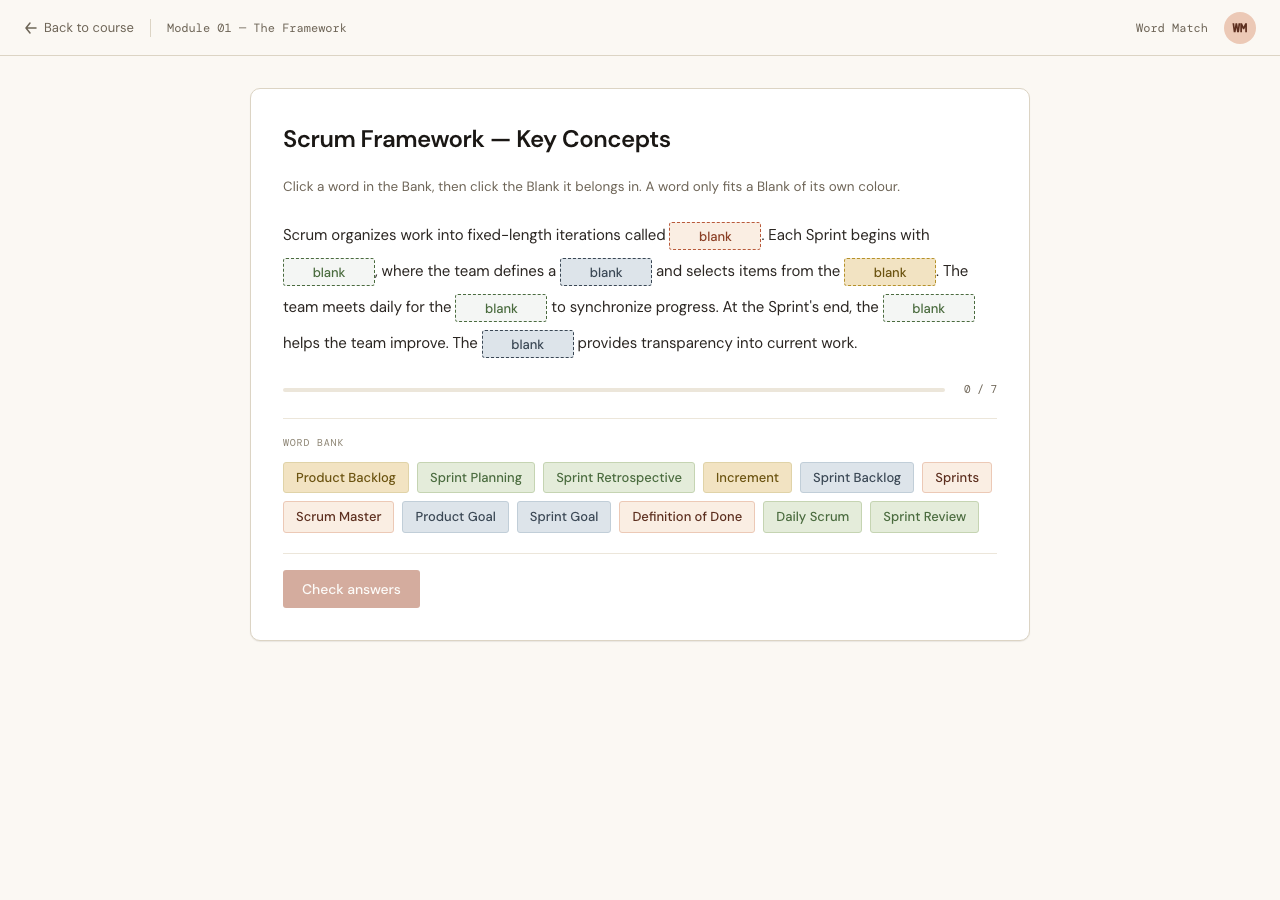
Placement is click a chip, then click a Blank. Not drag-and-drop — that’s deferred, and it’s an enhancement layered on the same event. Click-to-place is what makes the exercise work on a touchscreen and with a keyboard at all; every chip and every Blank is a real <button>, so the whole thing is tabbable for free.
Now, back to Categories having no names. Category is the only client-side placement rule, and that’s load-bearing. When you pick up a chip, only the Blanks of its Category light up:
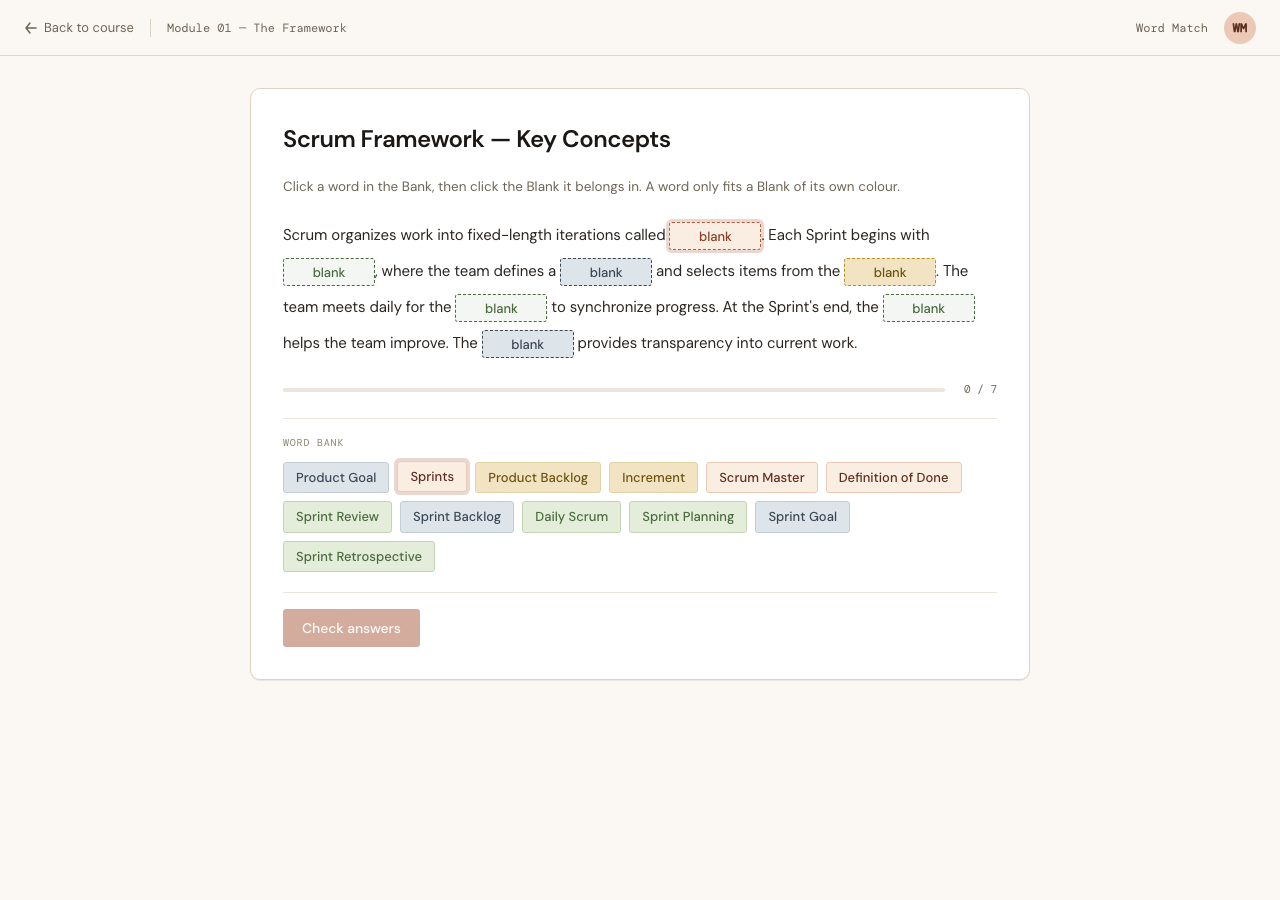
It would have been easy — and catastrophic — to constrain by correctness instead: only let a word drop into the Blank it actually answers. That turns every rejected placement into a leak, and lets a student brute-force the whole passage without reading a word of it. Constraining by Category reveals nothing, because the colours are already painted on both the chips and the Blanks. The rule only makes visible a constraint that was already there.
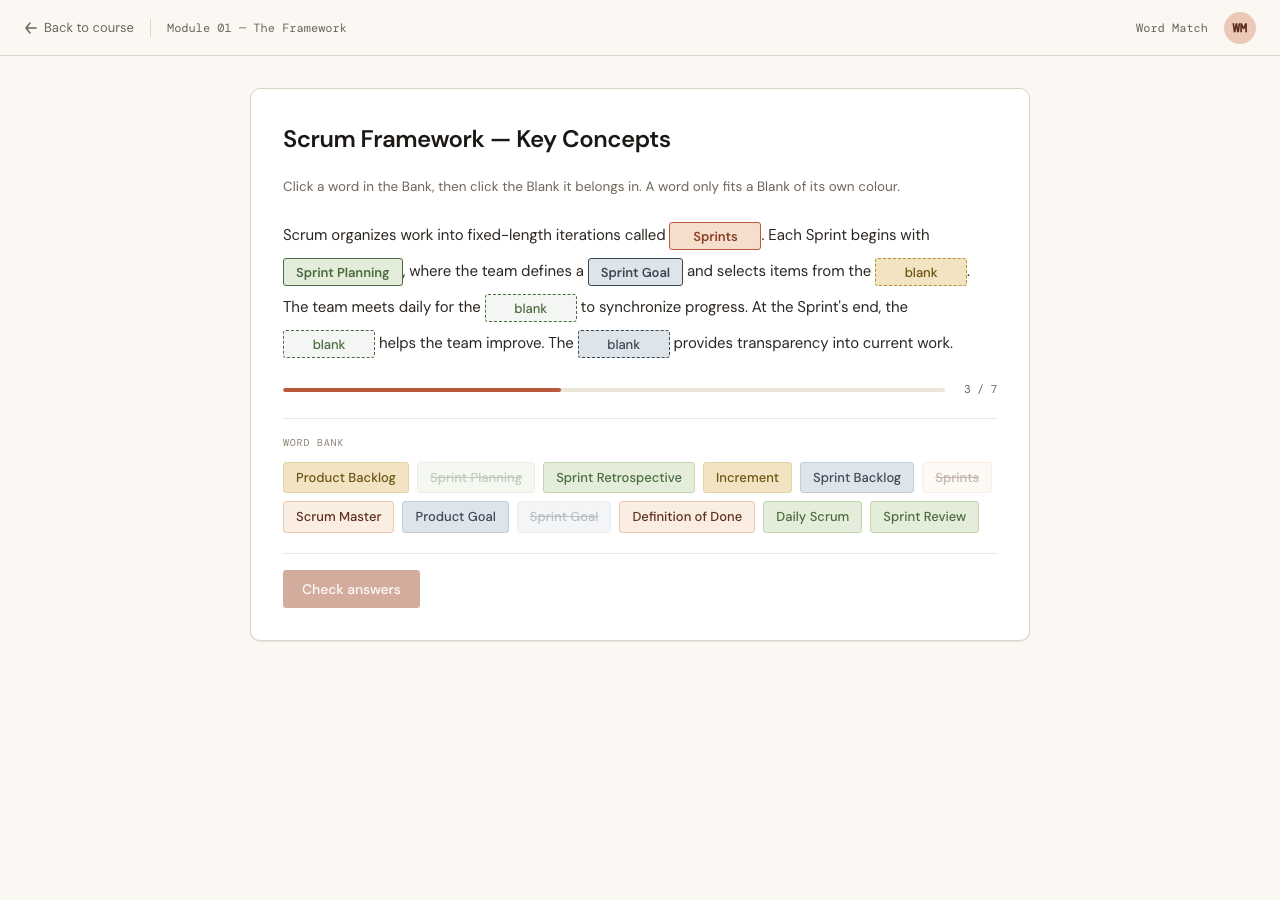
Placed words stay in the Bank, dimmed and struck through, so you can always see the full set you were offered. Click a filled Blank to send its word back.
“You have 2 errors”
Check is disabled until every Blank is filled. When you check and you’re wrong, you learn the number of wrong Blanks and nothing else — never which ones, never the right answer.
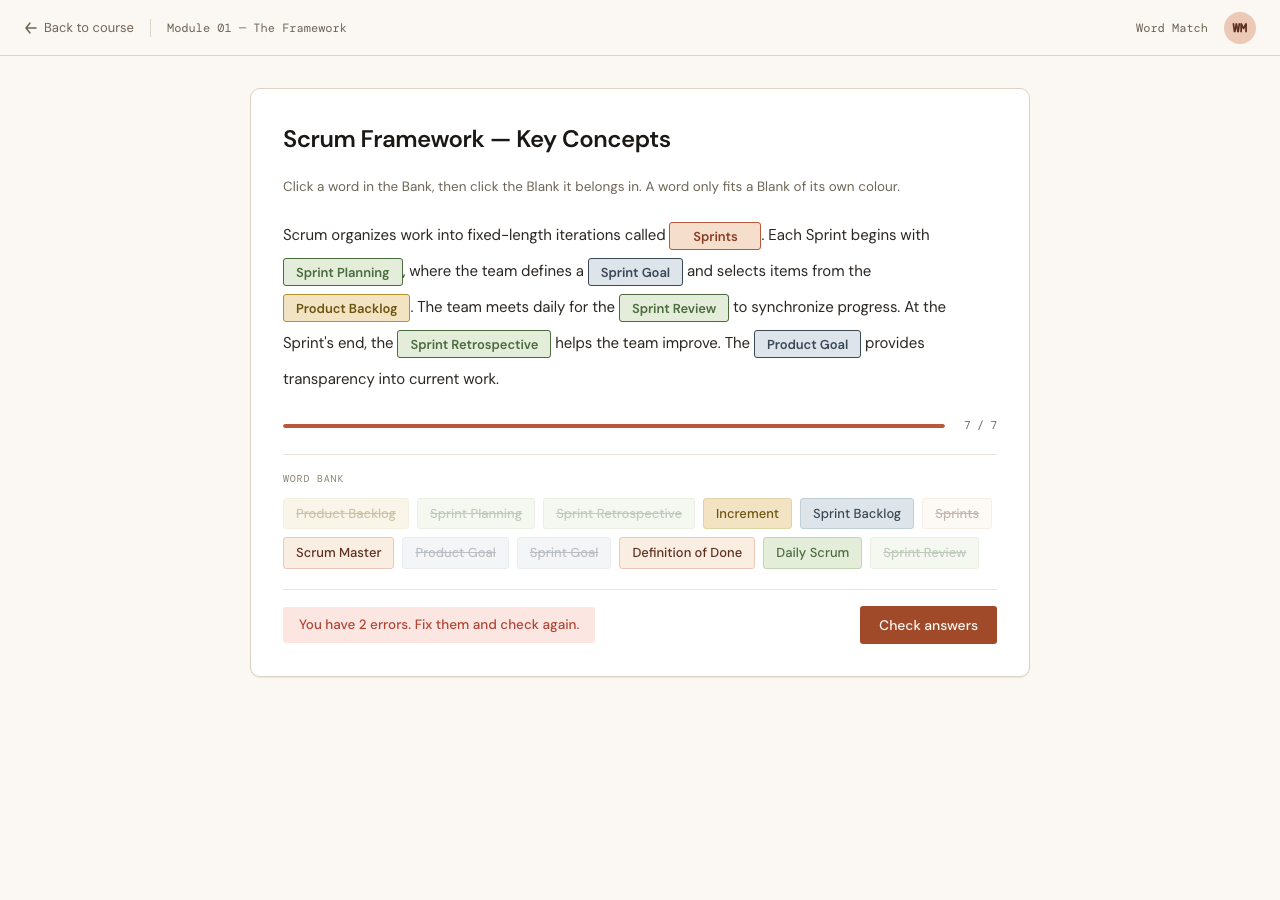
Unlimited retries, no penalty, no score. This is a practice drill, not an assessment — assessment is a separate backlog item with its own rules. The count is enough to tell you you’re not done and not enough to let you binary-search your way to the answer.
sequenceDiagram
    participant S as Student
    participant LV as Word Match LiveView
    participant WM as WordMatch (domain)
    participant DB as Completions

    S->>LV: select chip
    LV-->>S: light up Blanks of that Category only
    S->>LV: click a Blank
    alt Category mismatch
        LV-->>S: refused (nothing changes)
    else Category matches
        LV-->>S: placed — chip dimmed in the Bank
    end
    S->>LV: Check (enabled only when all Blanks filled)
    LV->>WM: check(document, placements)
    WM->>WM: compare placed chip TEXT to Blank answer
    alt some wrong
        WM-->>LV: {:errors, n}
        LV-->>S: "You have n errors" — nothing more
    else all correct
        WM-->>LV: :all_correct
        LV->>DB: record Completion
        LV-->>S: success modal → next Lesson
    end
Get them all right and the Completion is recorded — and only then.
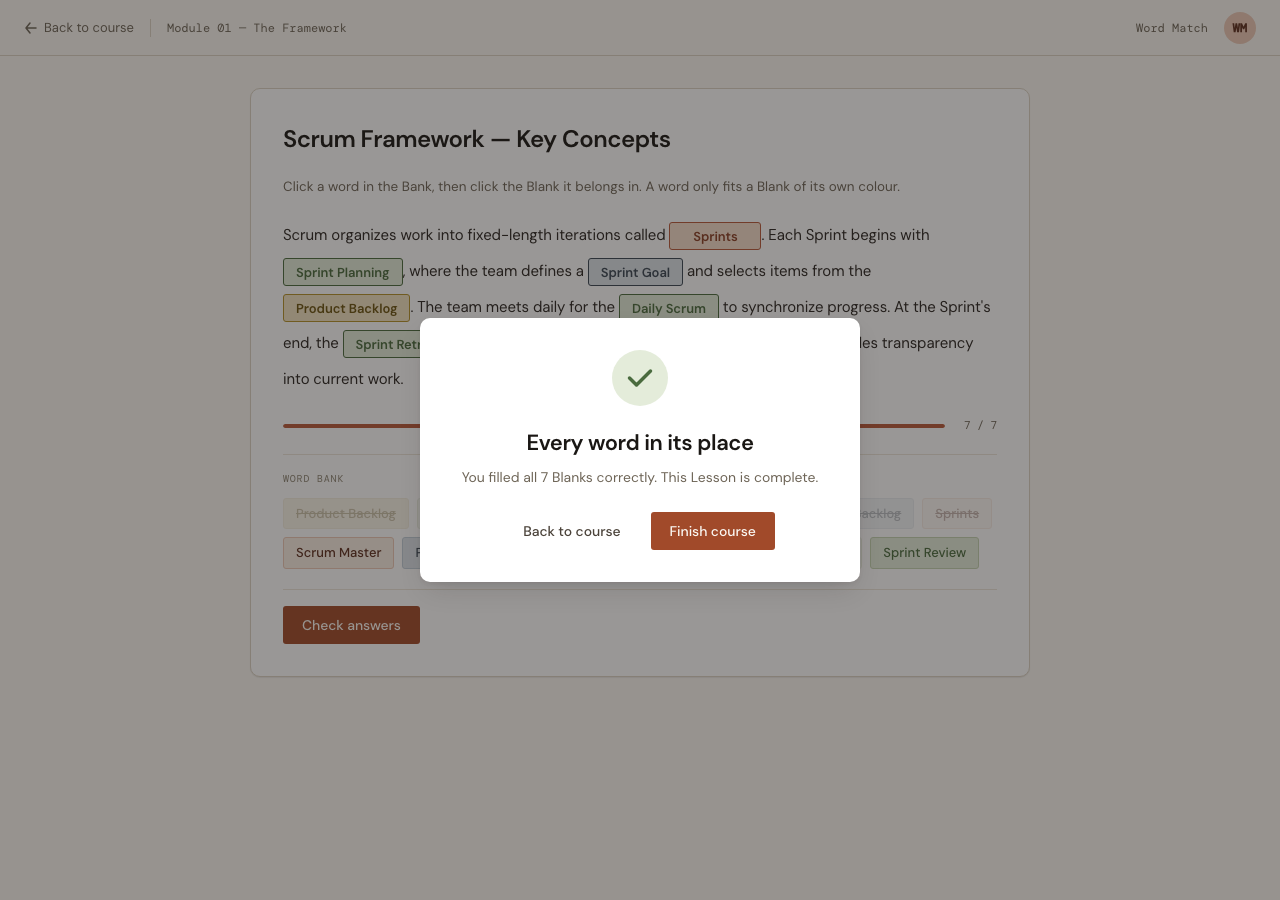
Editing a Word Match a student has already completed leaves that Completion standing. It’s a historical fact; editing content doesn’t un-teach, and revoking it would silently drop progress under an already-issued Certificate. Every other Lesson type already behaves this way.
What the browser caught that the tests didn’t
62 tests passed — the parser, the Bank, the checking, the LiveView round-trips, all green. Then I opened it in an actual browser and found two bugs neither the domain tests nor the LiveView tests could see, because both are about pixels and pointer events.
The error toast covered the Save button. I was reporting parse errors twice: as a flash toast and inline under the textarea. The fixed-position toast sat on top of the footer bar and intercepted pointer events — so after a failed save, the instructor couldn’t click Publish again. The automated driver retried the click for thirty seconds and never got through. That’s not a flaky test; that’s a user locked out of their own form. The fix was to delete the toast: the inline error is the design-system pattern, and it was always sufficient.
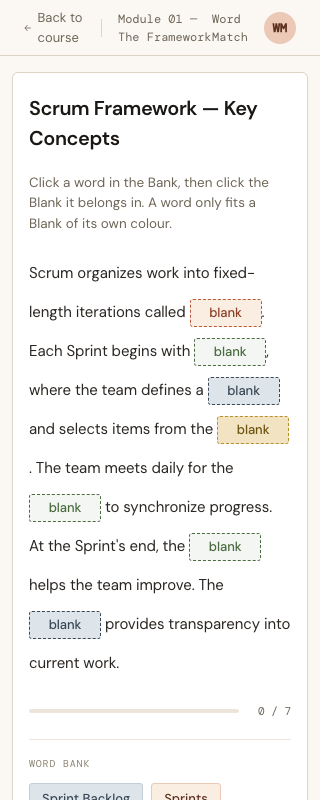
The passage rendered shredded, every Blank stranded on its own line:
.wm-passage { white-space: pre-wrap; } /* preserve the author's line breaks */
pre-wrap preserves the instructor’s newlines — and just as faithfully preserves every newline and indent the template emitted between a word and the Blank next to it. The markup has to carry no whitespace the instructor didn’t type, which means the passage can’t be a normal indented HEEx loop. It’s a function component whose tags are packed onto one line, with a comment explaining why, because it looks like something you’d “tidy up.”
Both bugs were invisible to mix test and obvious within about four seconds of looking at the screen. Which is the whole argument for looking at the screen.
What’s deferred
Named, scoped, and out of this slice:
- Drag-and-drop, plus a persisted
WordMatchAttemptso a half-finished passage survives a closed tab — a slice of its own, layered on the sameplace_wordevent. - A live preview pane while authoring. It needs a lenient parser mode that can render invalid input, which is a genuinely different problem from the strict one that runs on save.
- Autosave, for the reason above: the parser and a half-typed delimiter are natural enemies.
The Word Match also gets its own glyph in the course outline — two lines of prose with a dashed slot between them — so you can tell it from a Quiz at a glance.