Until now every Course was free: click Enroll, get an Enrollment, done. This slice lets the Instructor charge for a Course — but the Buy button is the least interesting thing here. The decisions worth writing down are about who is allowed to say a payment happened, whose number is the real price, and what the screen does while it waits for the truth to arrive.
The price you see is Paddle’s, not ours
We keep an integer price on the Course. It’s tempting to treat that as the price. It isn’t. A Course is purchasable only when it’s linked to a Paddle Price (paddle_price_id) — and what a buyer actually pays is resolved by Paddle, at checkout, from their IP-based geolocation: currency conversion, Purchasing-Power-Parity overrides, and tax are all Paddle’s job as Merchant of Record. The local integer is downgraded to a display hint and offline fallback. That inversion was surprising enough to earn an ADR (ADR-0010): the stored number is not the amount charged.
You can see it live: the stored hint is €149, but the catalog shows €129.00 — the real Paddle Price, localized — fetched client-side with Paddle.PricePreview().
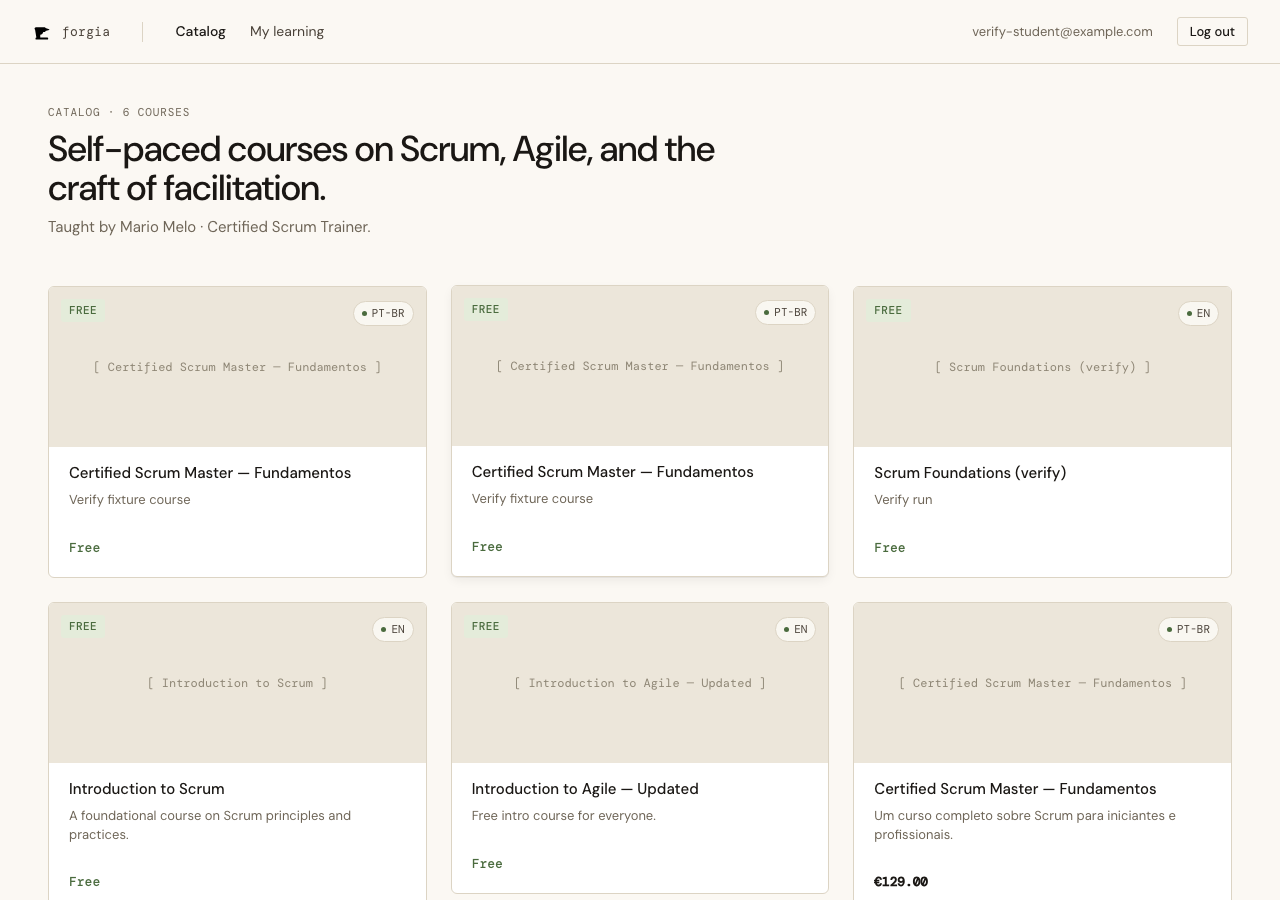
So “free vs paid” is not price > 0. It’s “is there a paddle_price_id?”. This gives three honest states a Course can be in, and the purchase panel renders each:
- Free — no link → the existing self-enroll path, untouched.
- Purchasable — linked → Buy.
- Misconfigured — priced but no link → a disabled “Not available for purchase yet”. No Buy, no accidental free enroll. A half-configured Course fails safe.
Access is granted by a webhook, never by the browser
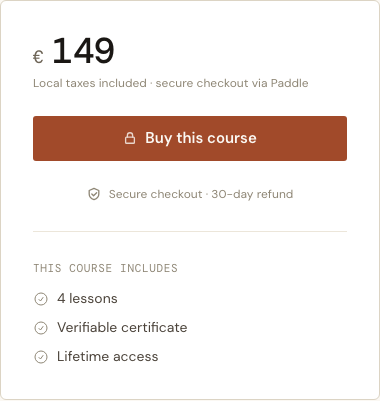
The single most important rule in a payment flow: the client cannot be trusted to say “I paid.” The browser’s success callback is a UX hint, not an authorization. So clicking Buy opens the Paddle overlay carrying the paddle_price_id and custom_data {user_id, course_id} — and that’s all the browser does toward access.
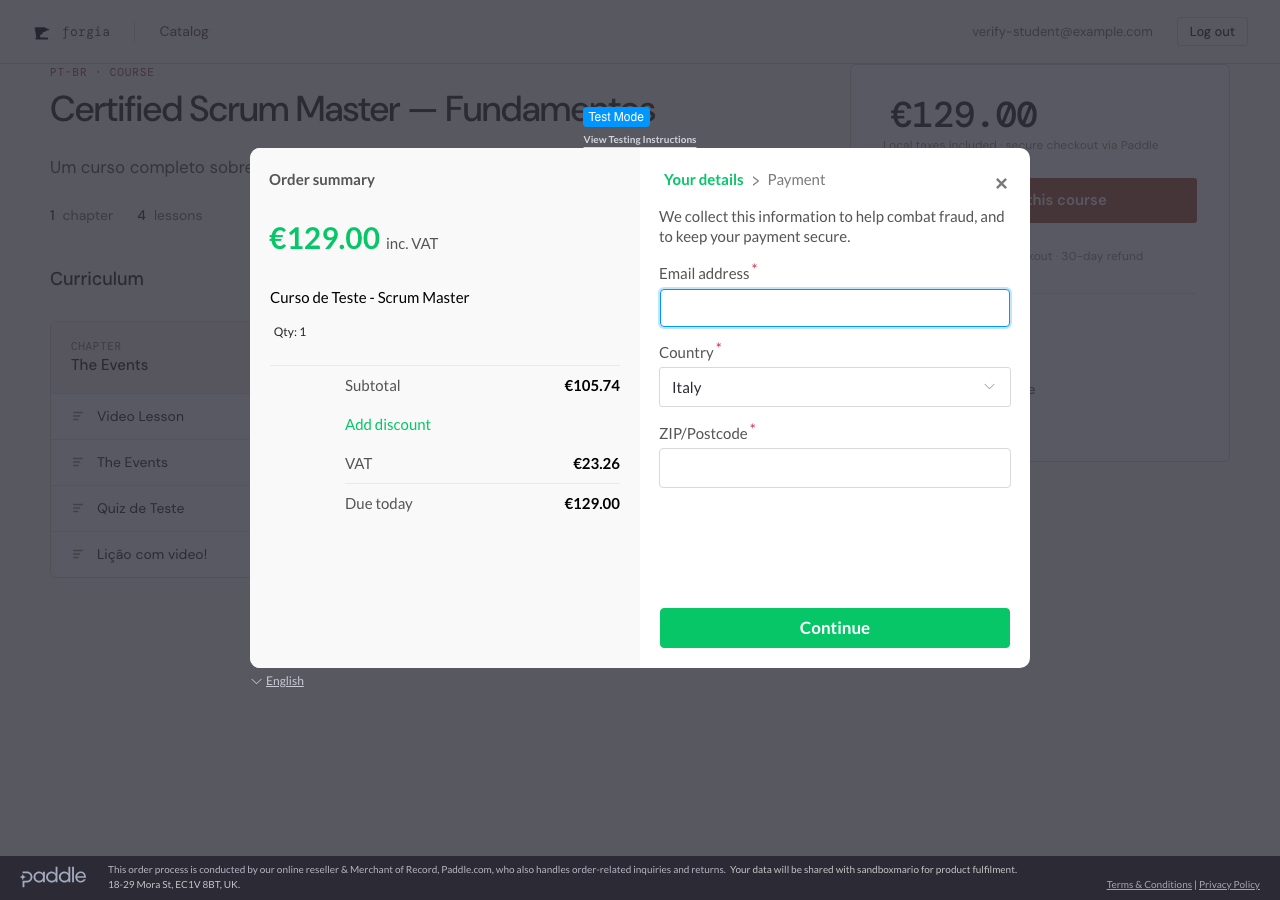
The Enrollment is created only when Paddle calls our webhook server-to-server and the signature verifies. We recompute HMAC-SHA256(secret, "ts:rawbody") over the raw request body (cached by a small path-scoped body reader, because the JSON parser would otherwise consume it) and compare in constant time. No signature, wrong signature, replayed signature → 400, and nothing is created.
sequenceDiagram
  actor S as Student (browser)
  participant LV as Course LiveView
  participant PD as Paddle
  participant WH as /webhooks/paddle
  participant DB as Enrollments

  S->>PD: Buy → overlay (priceId + custom_data)
  PD-->>S: payment captured → checkout.completed
  S->>LV: "Finalizing…" (poll begins)
  PD->>WH: transaction.completed (signed)
  WH->>WH: verify HMAC over raw body
  WH->>DB: enroll_from_payment(user, course, txn_id)
  DB-->>WH: Enrollment (idempotent)
  loop every 2s, until it exists
    LV->>DB: enrolled?(user, course)
  end
  DB-->>LV: yes
  LV-->>S: flips to "Continue Learning"
Idempotent by construction
Webhooks get re-delivered; buyers double-click. Neither may create a second Enrollment. Two database constraints do the work so the application code stays simple: the existing unique (user_id, course_id) absorbs a duplicate purchase, and a unique paddle_transaction_id absorbs a re-delivered webhook. enroll_from_payment/3 inserts with on_conflict: :nothing and only fires the enrollment notification when a row was actually created — so a replayed webhook is a silent, side-effect-free 200. We verified this against the live endpoint: same signed payload twice → one Enrollment, one email.
The art of waiting
Here’s the seam most checkout tutorials skip. The webhook is asynchronous, so at the instant the overlay reports success, the Enrollment usually doesn’t exist yet. If we redirected to the course page naively, the Student would see… the Buy button again. Confusing, and an invitation to pay twice.
So the success event flips the panel to a “Finalizing your enrollment…” state and the LiveView quietly polls for the purchase-Enrollment every two seconds.
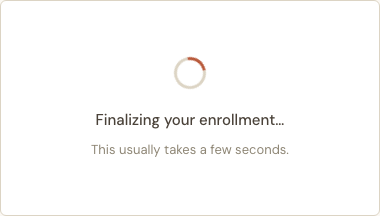
When the webhook lands and the Enrollment appears, the next poll tick flips the panel to “Continue Learning” — no refresh, no manual action. In our live sandbox run the flip took about six seconds end-to-end.
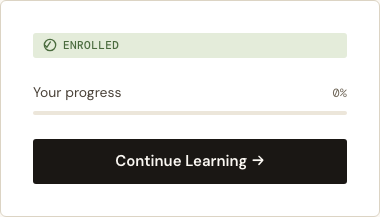
The polling is capped (~2 min) so a webhook that never arrives doesn’t spin forever.
A small door for the Instructor
For now the Paddle product and price are created by hand in the Paddle dashboard. To link one to a Course without dropping into a database console, the Course form grew a single field — paste the pri_… and the Course becomes purchasable. It validates the prefix, because pasting a Product id (pro_…) instead of a Price id (pri_…) is a mistake that’s easy to make and annoying to debug — I made it myself while building this.
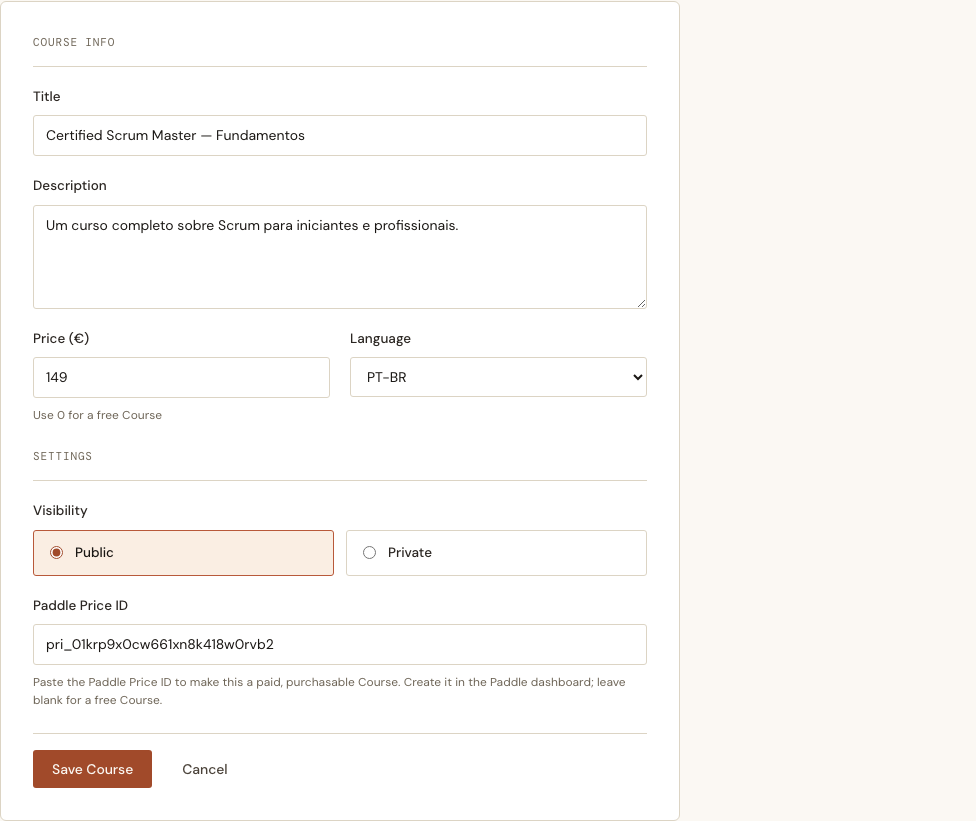
This field is a deliberate stopgap. Creating the product/price from inside the app and managing PPP overrides is a separate, larger slice (Set a Course Price).
What we left out, on purpose
- Refunds and chargebacks auto-revoking access — deferred.
- Creating prices from the app + PPP override management — that’s Set a Course Price.
- Localized price for logged-out visitors on the course page — the catalog cards localize for everyone, but the course-page panel currently reads the price id from the Buy button, which only renders when logged in. A one-line move makes it universal; it’s noted as a follow-up.
The shape of the slice is the lesson: a payment feature is mostly about trust boundaries (only a signed webhook grants access), source-of-truth (the price is Paddle’s), and time (access arrives later than the click). Get those three right and the Buy button is the easy part.