The fifth delivered slice closes the learning loop. Students can now mark each Lesson as complete, navigate to the next one in a single click, and watch their Progress update in real time — both in the sidebar and on the Course page.
What was built
A Student can now:
- See a “Mark as complete” button in the top chrome bar at all times, regardless of scroll position
- Click it to record a Completion instantly; the button is replaced by a green COMPLETED badge
- Scroll to the bottom and click “Go to next lesson →” to record the Completion and navigate in one action
- On the last Lesson of a Course, see “Mark as complete” at the bottom instead of “Go to next lesson”
- See a green checkmark next to every completed Lesson in the sidebar syllabus
- See the chapter progress bar update in the bottom box as Lessons are completed
- See the course progress bar in the sidebar update in real time (e.g. “50%”)
- Return to the Course page and see the overall progress percentage and curriculum checkmarks persisted
Completions are one-way and permanent — there is no un-completing. Clicking “Mark as complete” on an already-completed Lesson is silently ignored (idempotent at both the LiveView and database level).
How Completions flow
sequenceDiagram
    actor Student
    participant LV as CatalogLive.Lesson
    participant E as Skilll.Enrollments
    participant DB as Repo

    Student->>LV: Click "Mark as complete"
    LV->>E: record_completion(enrollment_id, lesson_id)
    E->>DB: INSERT INTO completions ON CONFLICT DO NOTHING
    DB-->>E: :ok
    E-->>LV: :ok
    LV->>LV: MapSet.put(completed_ids, lesson_id)
    LV->>LV: Recalculate progress_pct
    LV-->>Student: Badge replaces button · sidebar checkmark · progress bar update

    Student->>LV: Click "Go to next lesson →"
    LV->>E: record_completion(enrollment_id, lesson_id)
    E->>DB: INSERT INTO completions ON CONFLICT DO NOTHING
    LV->>LV: push_navigate(next_lesson_url)
    LV-->>Student: Navigates to next Lesson
Domain model
erDiagram
    Enrollment {
        int id
        int user_id
        int course_id
    }
    Completion {
        int id
        int enrollment_id
        int lesson_id
        datetime inserted_at
    }
    Lesson {
        int id
        string title
        int chapter_id
        int position
    }

    Enrollment ||--o{ Completion : "records"
    Lesson ||--o{ Completion : "completed via"
Completion is scoped to an Enrollment — not to the User directly. This means completing a Lesson in one Course run has no effect on any other run, which is exactly the right isolation model for independent Course copies.
record_completion/2 does INSERT ... ON CONFLICT DO NOTHING, making it safe to call multiple times without error. The LiveView handler updates completed_ids in a MapSet locally, so the UI responds instantly without a second database read.
Progress is a pure computation — Enrollments.progress_percentage/2 divides completed count by total and rounds to an integer. No stored counter; no stale cache.
Screenshots
Course page — before and after
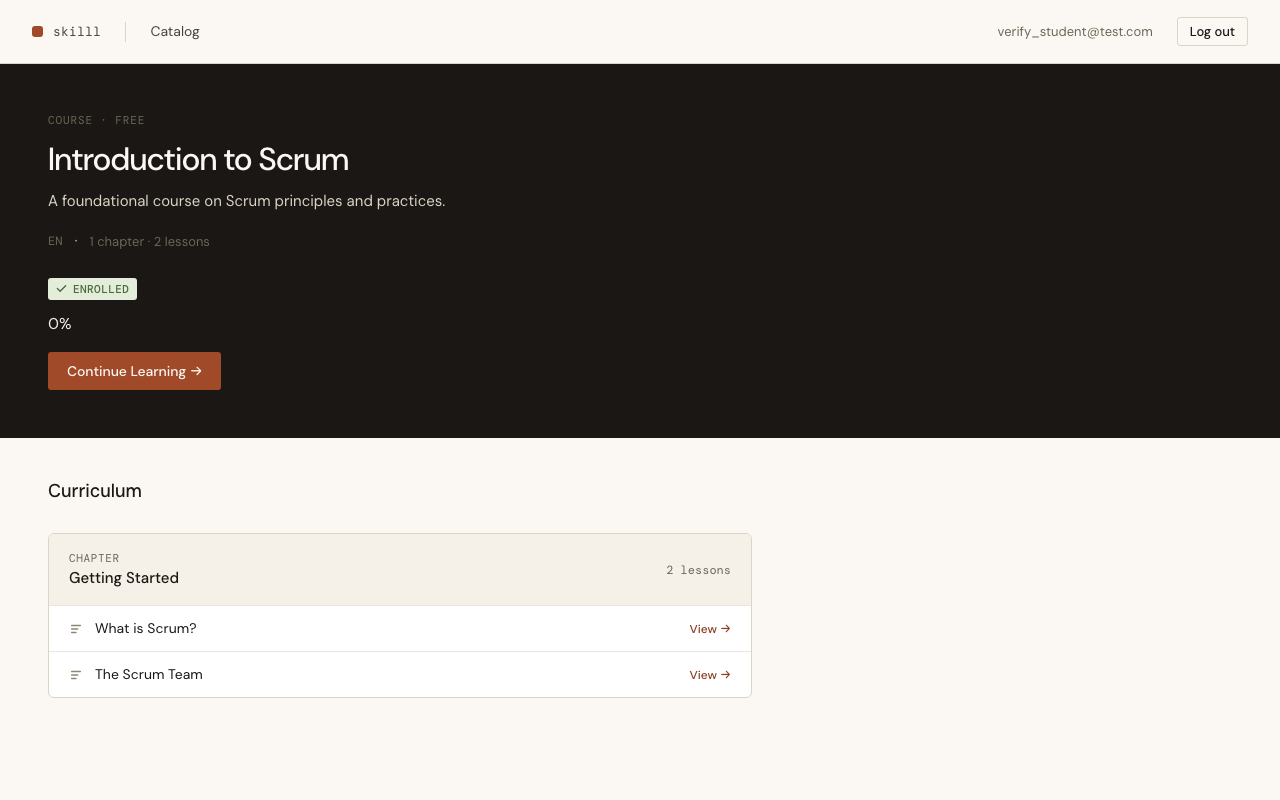
Before any Completions: the Course page shows 0% and the curriculum shows all Lessons with document icons (none completed).
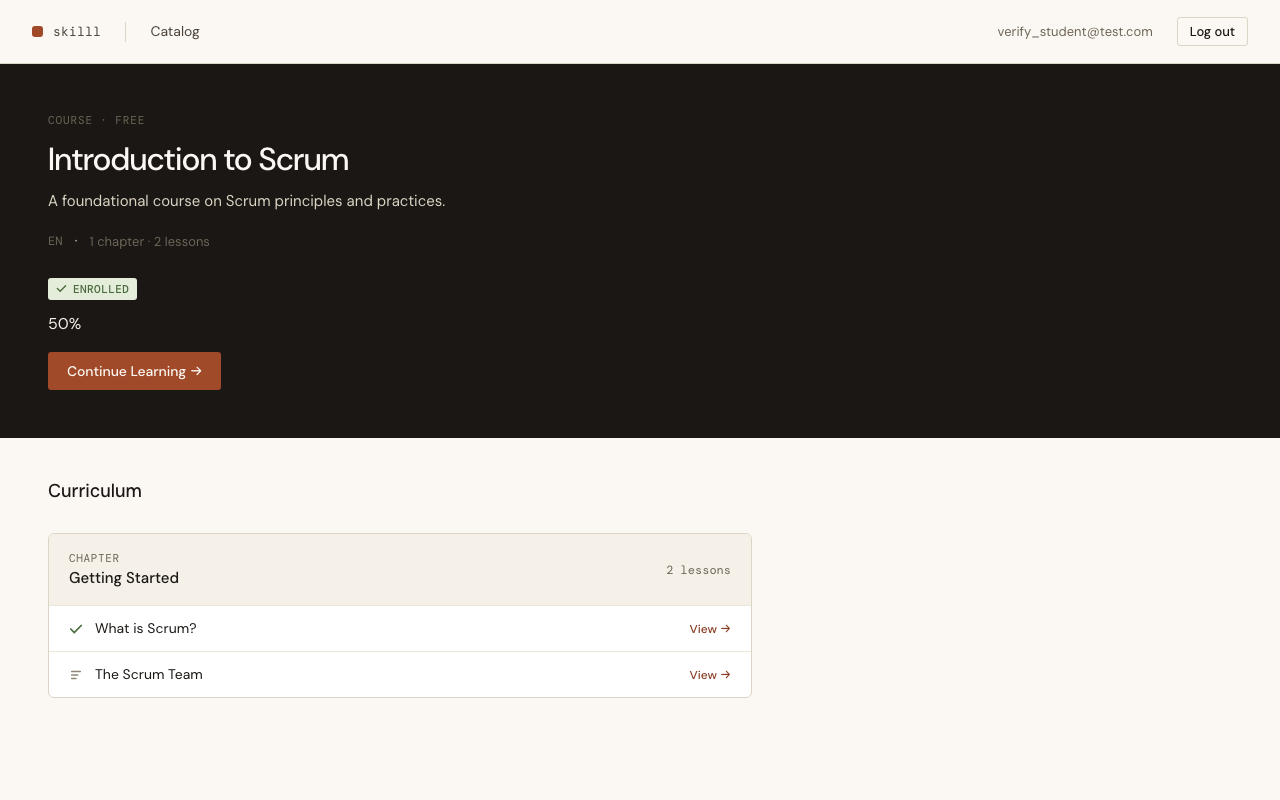
After completing one of two Lessons: the progress bar reads 50% and a green checkmark replaces the document icon in the curriculum.
Lesson page
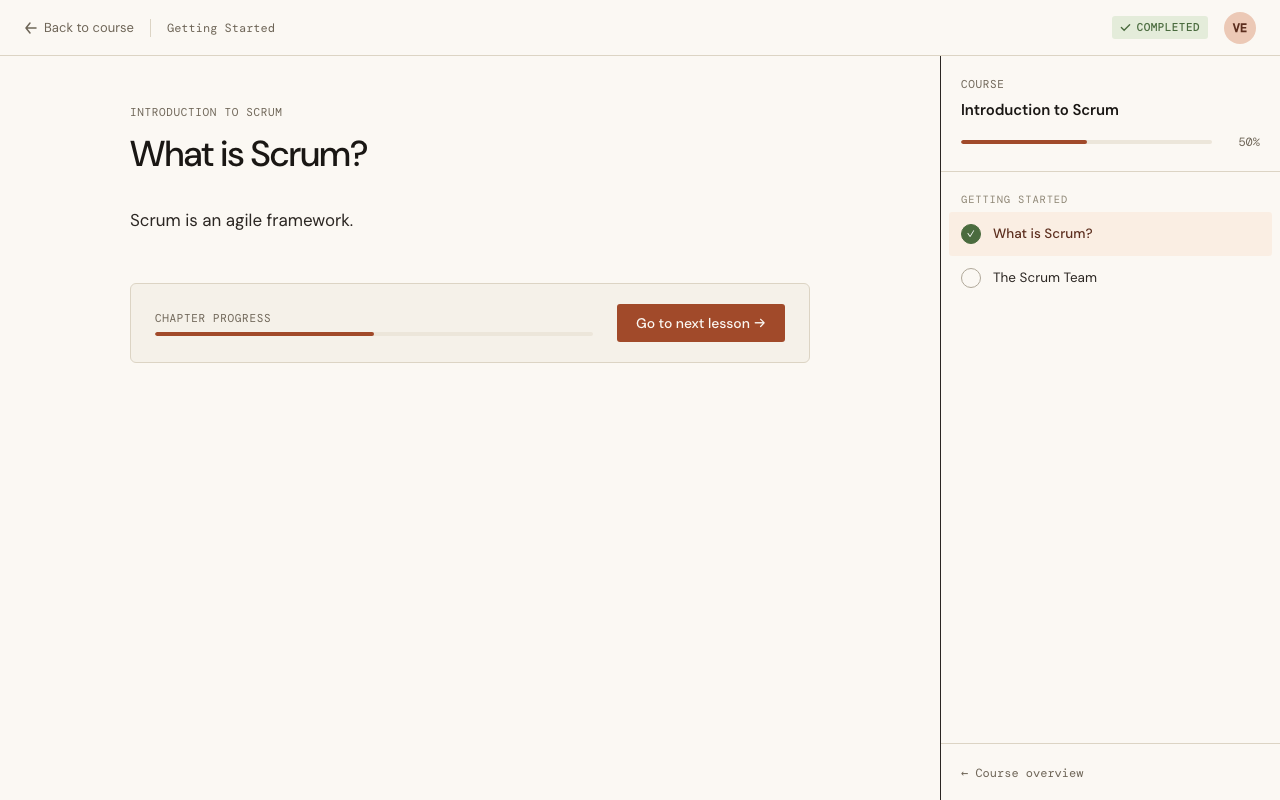
The lesson chrome shows "Mark as complete" (ghost button, top right). The sidebar shows the overall course progress bar with percentage. The bottom card shows the chapter progress bar on the left and the primary action button on the right.
After marking complete
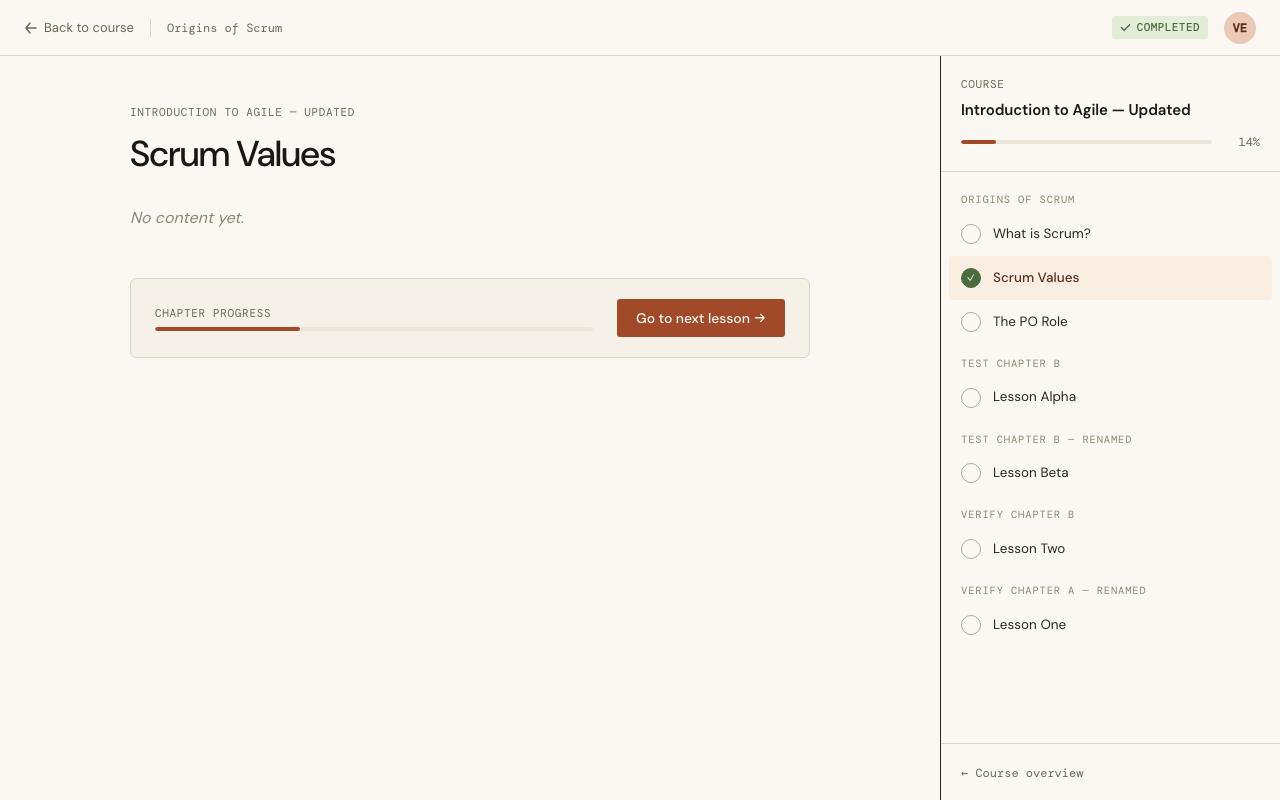
After clicking "Mark as complete": the ghost button is replaced by a green "COMPLETED" badge; the sidebar checkmark fills in for the current lesson.
Last lesson
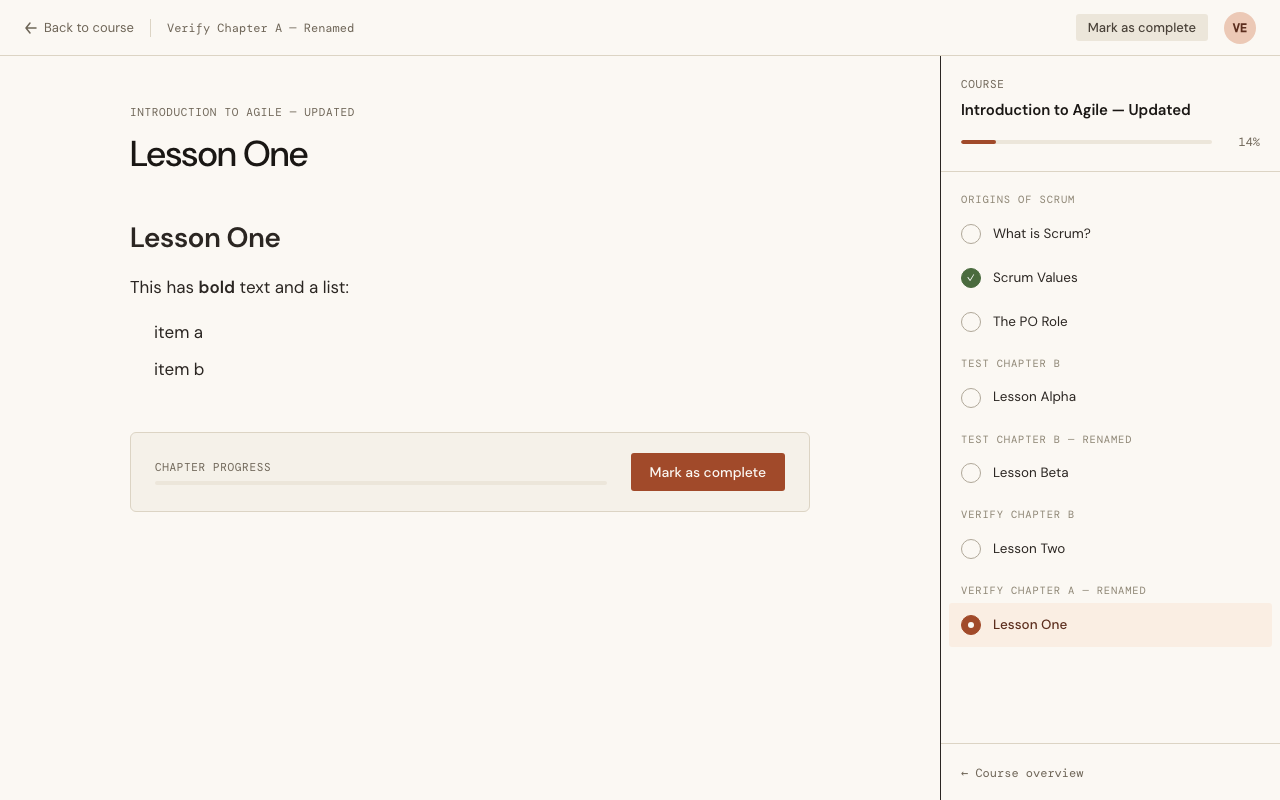
On the last Lesson of a Course, "Go to next lesson" is replaced by "Mark as complete" at the bottom. The sidebar shows a checkmark for previously completed lessons and the current filled dot for the active one.
Acceptance criteria
- "Mark as complete" is visible at any time in the top chrome bar, regardless of scroll position
- Clicking "Mark as complete" records a Completion and replaces the button with a badge — immediately
- "Go to next lesson" records the Completion of the current Lesson and navigates to the next one
- On the last Lesson, "Mark as complete" appears at the bottom instead of "Go to next lesson"
- Completed Lessons show a checkmark in the Course syllabus sidebar
- The overall progress percentage appears on the Course page and updates in real time
- Completion is scoped to the Enrollment — completing in one run does not affect another
- Completion is one-way and idempotent — no un-completing, no error on double-click
Key decisions
MapSet for local completion state — Rather than re-querying the database after each Completion, the LiveView holds completed_ids as a MapSet in assigns. record_completion returns :ok, and the handler does MapSet.put(completed_ids, lesson_id) locally. Progress percentage is recomputed from the updated set. This gives instant UI feedback with no extra round trip.
Completion scoped to Enrollment, not User — completions references enrollment_id, not user_id. This means the isolation is enforced at the model level: a Student in two different Course runs has two separate sets of Completions with no shared state.
Pure functions for navigation — Courses.next_lesson/2 and Courses.last_lesson?/2 operate on the already-loaded chapters list. No database query in the event handler — the data is already in assigns from mount.
ON CONFLICT DO NOTHING — The unique index on [enrollment_id, lesson_id] is the authoritative idempotency guard. The LiveView only skips the re-render if the badge is already shown; the database never errors regardless.
Next up: PBI 0040 — Earn a Certificate (issuing a Certificate when all Lessons in a Course are completed).