The fourth delivered slice opens the platform to Students. A visitor can browse the Course catalog, click “Enroll”, create an account via magic link, and land on the Course page already enrolled — in one uninterrupted flow. Returning Students click “Continue Learning” and go straight to their first Lesson.
What was built
A Student can now:
- Browse a Course catalog listing all published, public Courses
- Click “Enroll — it’s free” on any Course page and be prompted to register or sign in
- Complete account registration via a magic link email — no password required
- Land on the Course page already enrolled after clicking the magic link
- See the CTA change to “Continue Learning →” and a green ENROLLED badge after enrolling
- Click into any Lesson in the curriculum and read it in a focused sidebar layout
- Re-enroll in a Course they’re already enrolled in — silently redirected, no error
Enrollment flow
sequenceDiagram
    actor Visitor
    participant Catalog as CatalogLive.Show
    participant Auth as UserSessionController
    participant DB as Repo
    participant Email as Swoosh (local)
    participant Enrollment as EnrollmentController

    Visitor->>Catalog: GET /catalog/4
    Catalog-->>Visitor: Course page — "Enroll — it's free"
    Visitor->>Enrollment: GET /catalog/4/enroll
    Enrollment->>Auth: require_authenticated_user plug
    Auth-->>Visitor: Redirect /users/log_in?return_to=/catalog/4/enroll
    Visitor->>Auth: POST /users/log_in (email)
    Auth->>Email: deliver_login_instructions(user, magic_link_url)
    Auth-->>Visitor: "Check your inbox"
    Visitor->>Auth: GET /users/log-in/:token
    Auth->>DB: login_user_by_magic_link(token)
    Auth-->>Visitor: Session created → redirect user_return_to
    Visitor->>Enrollment: GET /catalog/4/enroll (now authenticated)
    Enrollment->>DB: Enrollments.enroll(user, course) — idempotent
    Enrollment-->>Visitor: Redirect /catalog/4
    Catalog-->>Visitor: Course page — "ENROLLED" + "Continue Learning →"
The key mechanism is user_return_to: when require_authenticated_user redirects the unauthenticated visitor to the login page, it stores /catalog/4/enroll in the session. After the magic link is clicked and the session is created, the user is redirected back to the stored path — which completes the enrollment. The whole flow feels like one action to the Student.
Domain model
erDiagram
    User {
        int id
        string email
        bool admin
        datetime confirmed_at
    }
    Course {
        int id
        string title
        string status
        string visibility
    }
    Enrollment {
        int id
        int user_id
        int course_id
        datetime inserted_at
    }
    Chapter {
        int id
        string title
        int position
        int course_id
    }
    Lesson {
        int id
        string title
        text body
        int position
        int chapter_id
    }

    User ||--o{ Enrollment : "enrolls in"
    Course ||--o{ Enrollment : "has"
    Course ||--o{ Chapter : "contains"
    Chapter ||--o{ Lesson : "contains"
Enrollment is the join between User and Course. The enroll/2 function in Skilll.Enrollments is idempotent — it does a get_by before inserting, so hitting the enroll route twice silently redirects the Student rather than erroring.
Screenshots
Course catalog
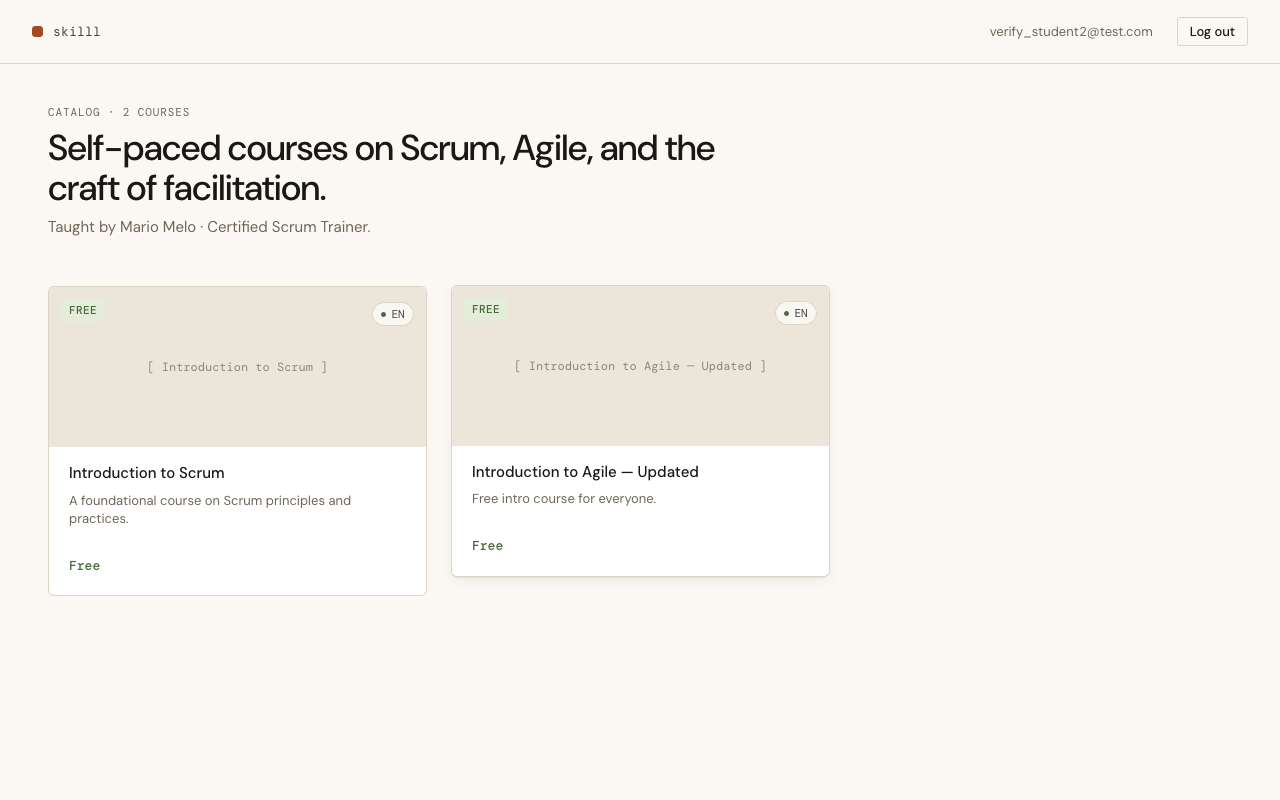
The catalog lists all published, public Courses as cards with language badge and price tag. Unauthenticated visitors see "Log in" and "Register" in the nav.
Course page — enrolled state
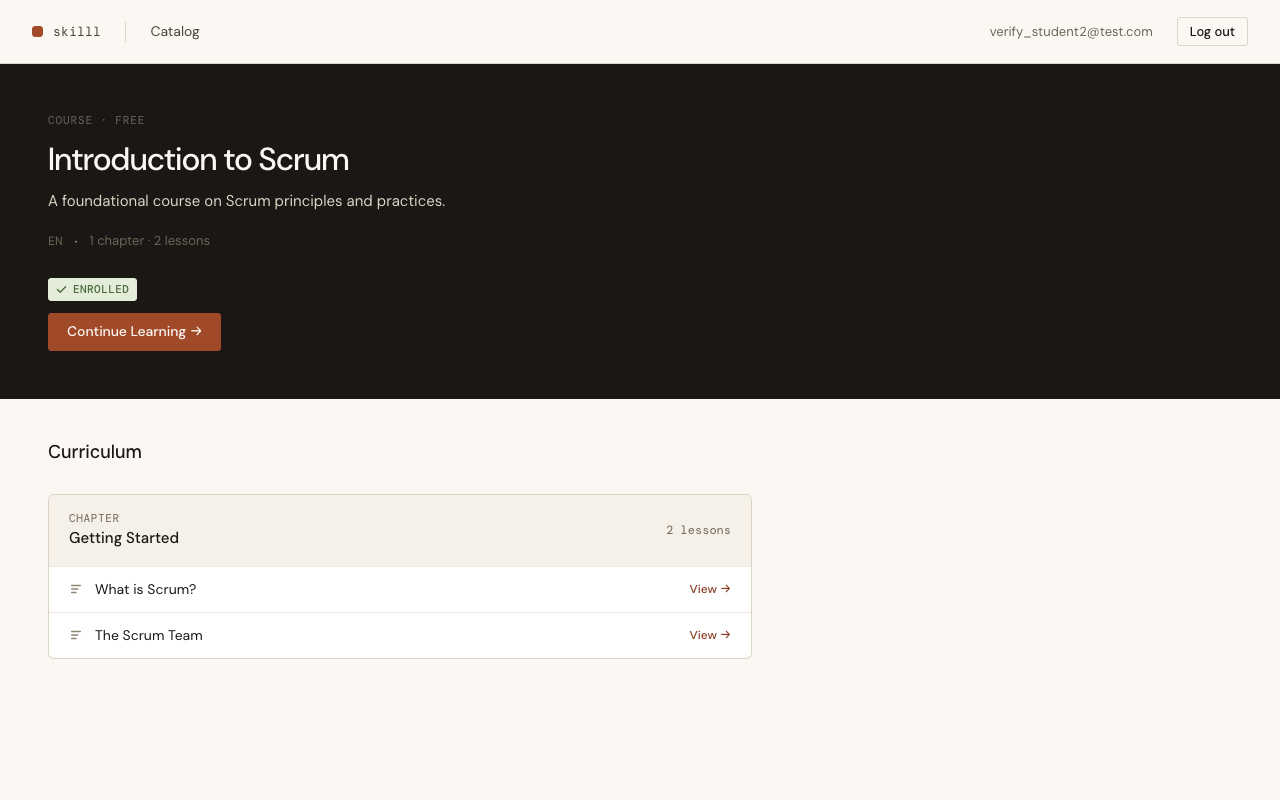
After enrolling, the CTA changes to "Continue Learning →" and a green "ENROLLED" badge appears. Lesson rows become clickable "View →" links instead of lock icons.
Lesson reading
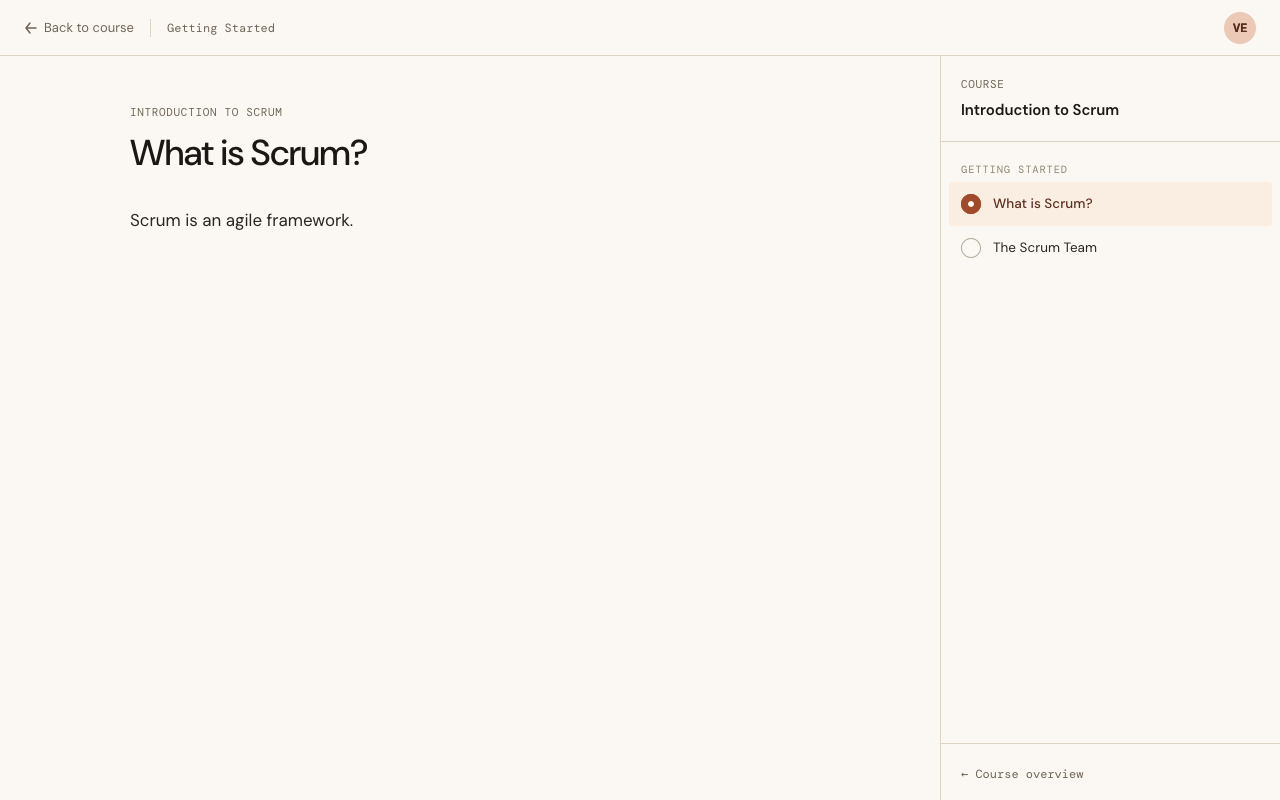
The lesson reading layout: a full-width content area on the left, a sticky sidebar on the right with chapter and lesson navigation. The current lesson is highlighted with a filled clay dot. The top chrome bar shows the chapter name and user avatar initials.
Sign in / Create account
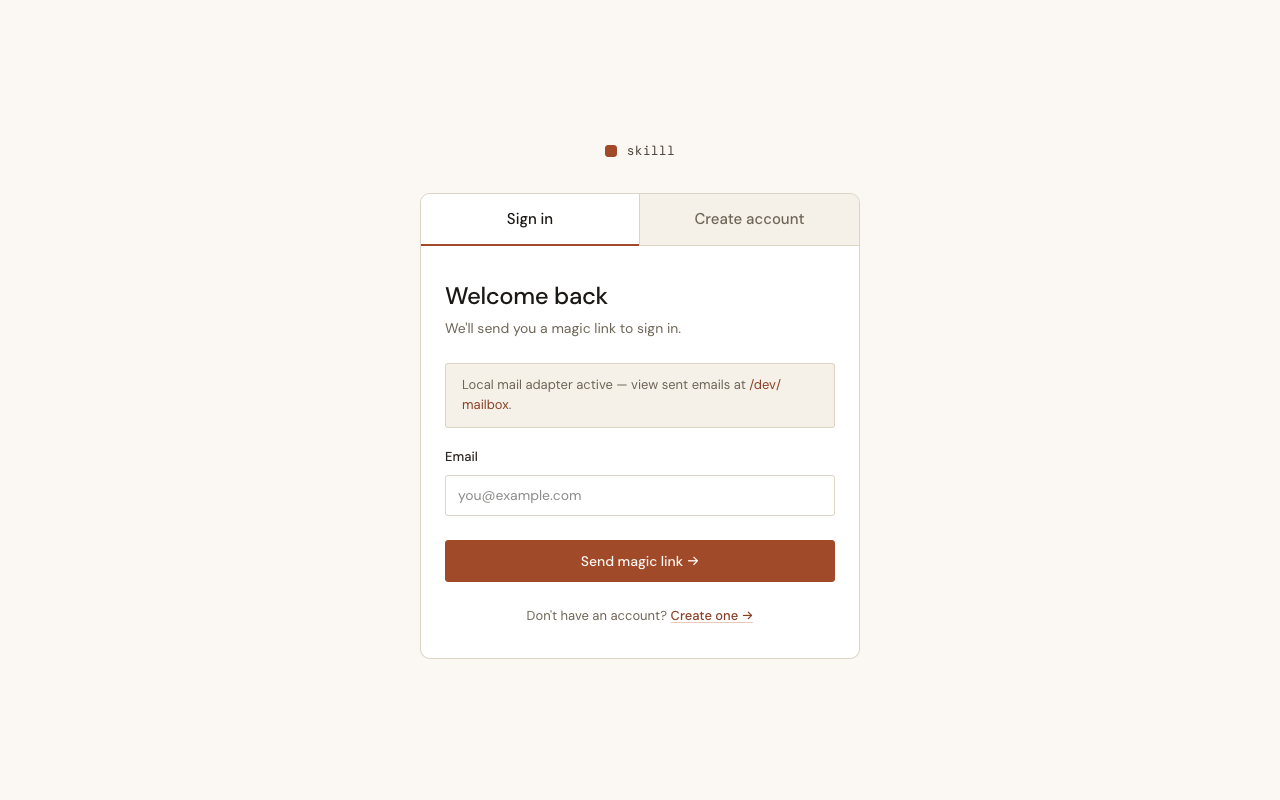
The auth card follows the design system: tabbed "Sign in / Create account", magic link form, and an inline dev notice pointing to the local mailbox. Flash messages render inline in the card.
Acceptance criteria
- Browse a listing of all published, public Courses
- Click "Enroll" and complete account registration in the same flow, landing enrolled
- Enroll directly via the "Enroll" button when already logged in
- See "Continue Learning →" CTA and ENROLLED badge after enrolling
- Access all Lessons of an enrolled Course via the lesson reading layout
- Re-enroll silently redirects to the Course page — no duplicate Enrollment record
- Only published and public Courses appear in the catalog
- Email confirmation delivered via magic link (no password required)
- Users registered with an
@example.comemail are granted admin access
Key decisions
Magic link auth, no password — mix phx.gen.auth with --no-live generated the full controller-based auth stack. The Student only needs an email address; the platform sends a one-time login link. No password storage, no “forgot password” flow to maintain.
Idempotent enroll/2 — The enrollment controller is a plain GET route, which means the browser can navigate to it freely (bookmarks, back button, the magic-link redirect). Enrollments.enroll/2 does a get_by before inserting, so repeat visits are silent redirects. No unique-constraint error surfaces to the Student.
Email domain as admin gate (ADR 0004) — Rather than building a role system, users with @example.com emails are flagged as admins at registration time via User.admin?/1. This unblocks enrollment without building role assignment UI. A proper roles table is a future slice.
user_return_to for the enroll-then-login flow — The enrollment route is protected by require_authenticated_user. When the unauthenticated visitor hits it, the plug stores the path in the session. After the magic link creates the session, the redirect goes back to the enrollment route, which completes enrollment and redirects to the Course page. No custom redirect logic — it’s the stock Phoenix auth pattern.
LiveViews read current_user from session manually — CatalogLive.Index, CatalogLive.Show, and CatalogLive.Lesson call get_user_by_session_token/1 in mount/3 rather than relying on an on_mount hook (none is wired globally yet). If a global auth hook is ever added, the manual lookups in these LiveViews should be removed.
Next up: PBI 0030 — Track Lesson Progress (recording Completions per Student per Lesson).