Until this slice, a Profile could be born in exactly one way: when an Instructor’s Invitation was claimed, the system seeded a Profile with the name the Instructor had typed. Neat — except self-registered users who sign in with a magic link never go through invitation-claim. They had an account, a login, enrollments… and no Profile at all. No display name, nowhere to set one.
This slice adds a /profile page where any authenticated user edits their own name and uploads an avatar. The form is the boring part. The decision worth recording is what “their Profile” means before they’ve ever saved one.
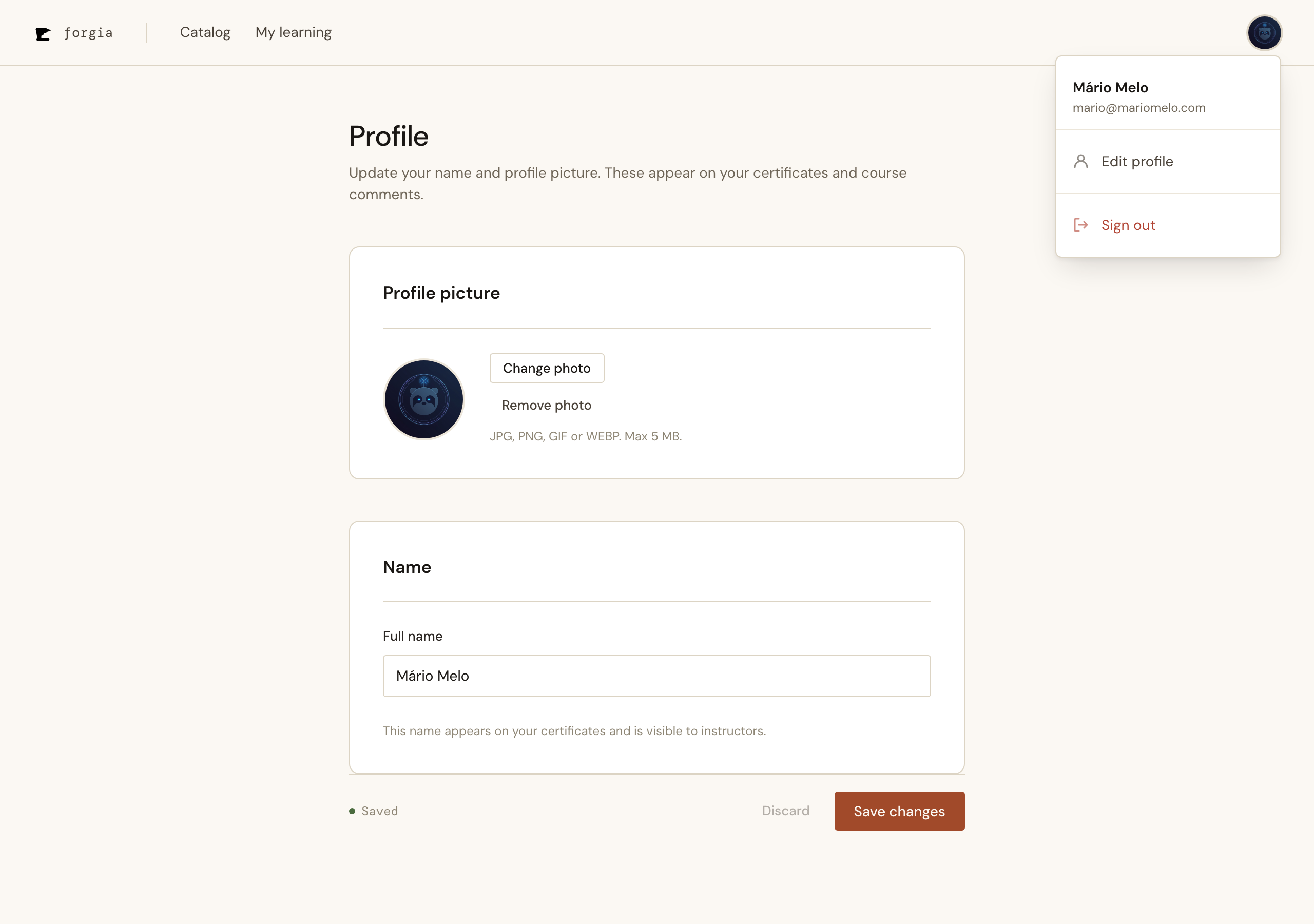
A Profile that’s created on first Save
The tempting move is to back-fill: write a migration that creates an empty Profile row for every account so the page always has something to load. We didn’t. A back-fill invents rows nobody asked for and spreads “is this Profile real or a placeholder?” ambiguity across every future reader.
Instead, a Profile is created lazily, on the first successful Save — an upsert. Until then get_profile/1 returns nil, and that nil is a legitimate, expected state, not a bug. The page shows an empty name field with a placeholder; the first valid Save inserts the row; every later Save updates it. One code path handles both:
def update_profile(%User{} = user, attrs) do
  case get_profile(user.id) do
    nil ->
      %Profile{}
      |> Profile.changeset(Map.put(attrs, "user_id", user.id))
      |> Repo.insert()

    %Profile{} = profile ->
      profile
      |> Profile.changeset(attrs)
      |> Repo.update()
  end
end
The consequence is a standing contract: everything that reads the name must tolerate nil and fall back gracefully — today the dashboard greeting and the navbar avatar both drop to the email’s local-part. That’s recorded as PDR 0002 in the repo, so the next consumer (Certificates, Lesson Comments) doesn’t assume a Profile always exists.
The Ecto trap that silently skips the write
There’s a reason update_profile/2 reloads the record from the database (get_profile/1) instead of reusing a struct already sitting in the LiveView’s assigns. Ecto’s cast only writes a field when the new value differs from the value on the struct you built the changeset from. If you keep an in-memory struct in sync with the screen for display purposes and then build the changeset from that same mutated struct, the change is invisible — and the write is silently skipped. No error, no log, just data that didn’t save.
So the rule, learned the hard way on an earlier feature and now codified in the project’s instructions: build the changeset from a freshly-reloaded baseline. That single discipline is why creating and updating a Profile is one reload-then-write path, not a clever in-place mutation.
The name itself stays strict whenever a Profile is written — required, trimmed, 2–80 characters — so a whitespace-only entry is rejected inline and nothing is persisted:
def changeset(profile, attrs) do
  profile
  |> cast(attrs, [:name, :avatar_url, :user_id])
  |> update_change(:name, &String.trim/1)
  |> validate_required([:name, :user_id])
  |> validate_length(:name, min: 2, max: 80)
  |> unique_constraint(:user_id)
end
One dropdown, two navbars, both roles
A page is only reachable if there’s a door to it. The door is an account dropdown on the avatar — and the app has two different authenticated navbars: a horizontal top-nav for students, and a vertical studio sidebar for the instructor. Both needed the same menu.
Rather than copy markup into each, the avatar and the dropdown became shared function components. The avatar renders the uploaded photo when present and initials as the fallback — everywhere it appears, including the dropdown trigger. The instructor sidebar reuses the exact same dropdown body, just anchored to open upward:
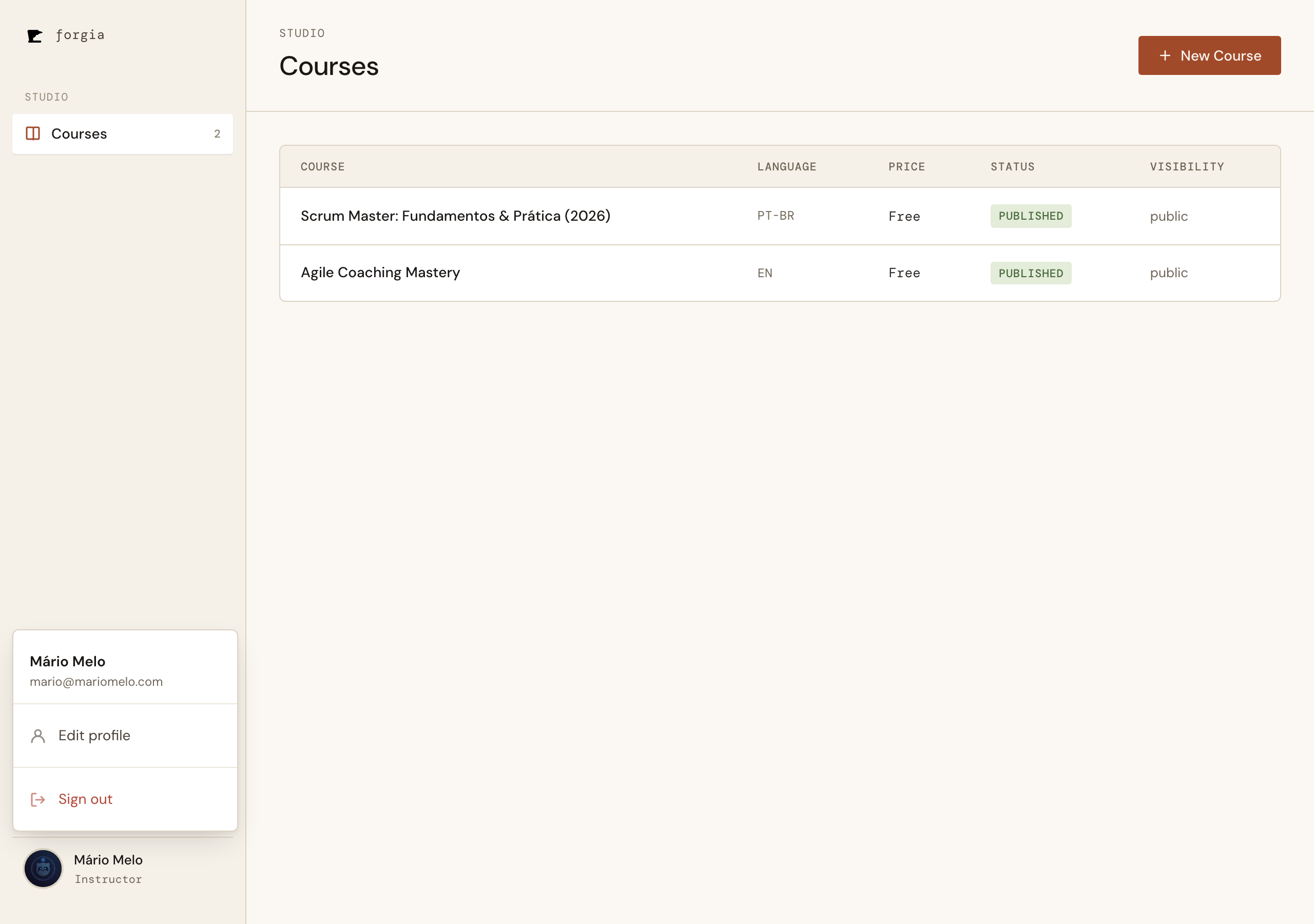
The same component now sits across the student dashboard, the catalog, the profile page, and all the studio screens — and the previously-hardcoded “Mário Melo / Instructor” block in the sidebar is finally driven by real data.
Read the design system before writing CSS
An honest note on a detour. The first cut of the dropdown invented its own classes and its own show/hide logic — a bare hidden attribute toggled by JS.toggle. It rendered, but clicking the avatar did nothing: in this app, flipping inline display doesn’t override a hidden attribute the way I assumed (the codebase’s own components always explicitly remove hidden when showing).
Worse, I’d reinvented a wheel that already existed. The design system ships a complete mm-user-menu component — trigger, dropdown header, icon’d items, a danger-styled “Sign out”, a sidebar variant, even the open animation. The fix was to delete my improvisation and use the design system, toggling the documented open class:
phx-click={JS.toggle_class("open", to: "#user-menu")}
phx-click-away={JS.remove_class("open", to: "#user-menu")}
The lesson is the cheap one to state and easy to skip: read the relevant design file before writing markup. The component you need is often already there.
Honest copy, and a 320px check
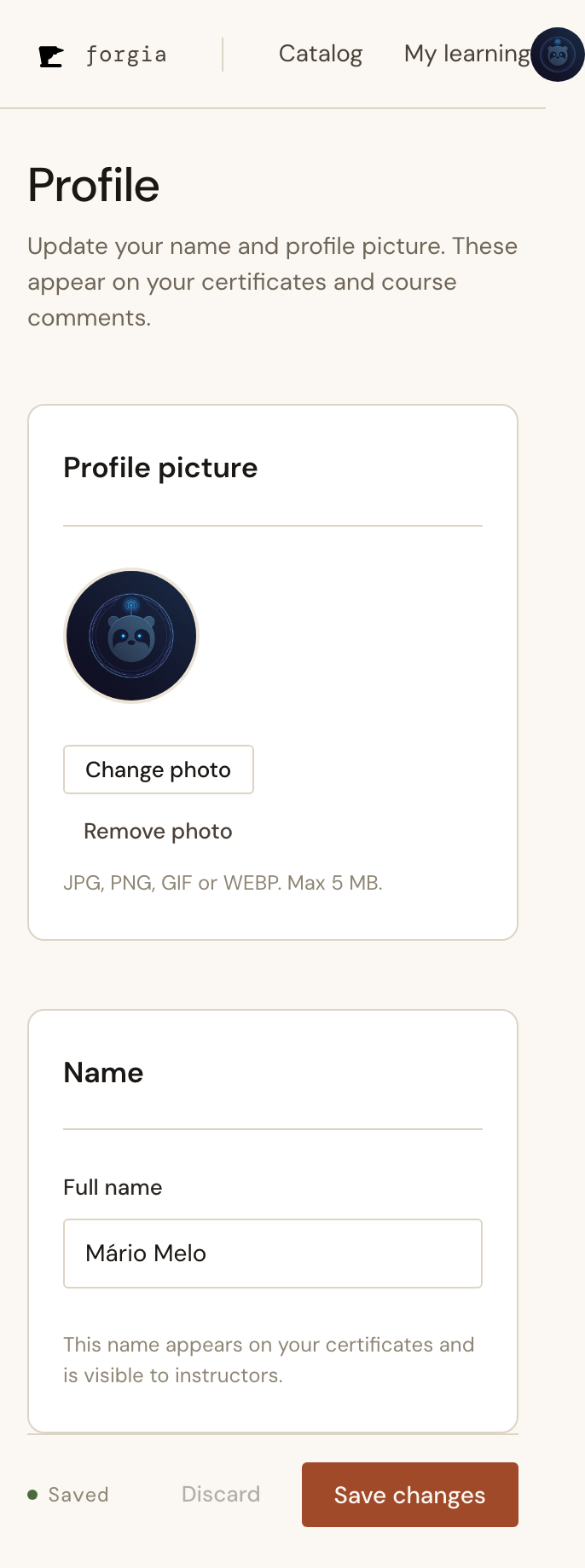
A small truth-in-advertising fix rode along: the design mockup’s upload hint still said “Max 2 MB · JPG, PNG or GIF,” but the actual upload component accepts 5 MB and WEBP. Stale copy is a quiet lie, so the hint now reads “JPG, PNG, GIF or WEBP. Max 5 MB” — matching what the system really enforces.
And because a settings page that only works on a laptop isn’t done, it holds up at a 320px viewport:
Why this stayed small
Avatar storage already existed (the lesson-image uploader and the storage abstraction), so this slice reused it wholesale — folder: "avatars", the same 5 MB / WEBP defaults, the same StorageMock in tests. The only new persistence was a nullable avatar_url column on Profile. No new aggregate, no new storage code, no global navbar migration — just one page, one column, and a shared component that paid for itself the moment the second navbar needed it.