The second delivered slice gives the Instructor everything needed to build a Course curriculum: Chapters, Text Lessons, reordering, and a publish action that makes the Course immediately accessible to Students.
What was built
The Instructor can now:
- Add Chapters to a Course, each with a title
- Add Text Lessons to a Chapter with a title and a Markdown body
- Reorder Chapters and Lessons within their container using ↑ / ↓ buttons
- Move a Lesson from one Chapter to another
- Edit or delete Chapters and Lessons at any time
- Publish the Course with a single button — it becomes accessible to Students immediately
- Continue adding, editing, and reordering content after publishing — the Course stays live
The Markdown editor is a full-page split pane: raw Markdown on the left, live HTML preview on the right. The preview updates on every keystroke (150 ms debounce) without any client-side JavaScript libraries — just LiveView phx-change triggering an Earmark render on the server.
Domain model
erDiagram
    COURSE {
        int id
        string title
        string language
        string visibility
        string status
        int price
    }
    CHAPTER {
        int id
        string title
        int position
        int course_id
    }
    LESSON {
        int id
        string title
        text body
        int position
        int chapter_id
    }

    COURSE ||--o{ CHAPTER : "contains"
    CHAPTER ||--o{ LESSON : "contains"
The structure is always two levels deep: Course → Chapter → Lesson. There is no concept of a Lesson living directly under a Course. Deleting a Chapter cascades to its Lessons (on_delete: :delete_all in both migrations).
position is a plain integer — no unique constraint, just orderable. Reordering swaps two adjacent positions inside a Repo.transaction, so moves are atomic even under concurrent writes.
Architecture
flowchart TB
    subgraph Web
        direction TB
        CL[CourseLive.Curriculum]
        LE[LessonLive.Edit]
    end
    subgraph Domain
        CTX[Skilll.Courses context]
        CH[Chapter schema]
        LSN[Lesson schema]
        EM[Earmark]
    end
    subgraph DB
        PG[(PostgreSQL\nchapters · lessons)]
    end

    CL -->|navigate| LE
    LE -->|phx-change debounce| EM
    CL --> CTX
    LE --> CTX
    CTX --> CH --> PG
    CTX --> LSN --> PG
CourseLive.Curriculum — the main curriculum management page. Handles all Chapter operations (CRUD + reorder), Lesson operations (delete, move, reorder, preview), and the publish action. Lesson creation/editing navigates away to the dedicated editor.
LessonLive.Edit — full-page lesson editor. Mounts for both :new and :edit actions via separate routes. Renders a two-pane layout: monospace textarea left, HTML preview right. The server re-renders the preview pane on every validate event.
Pure reorder helpers — Courses.reorder_up/2 and Courses.reorder_down/2 are public, database-free functions that operate on plain lists of structs. They’re tested without DataCase and are used to reason about expected DOM state before committing to DB swaps.
Screenshots
Courses list
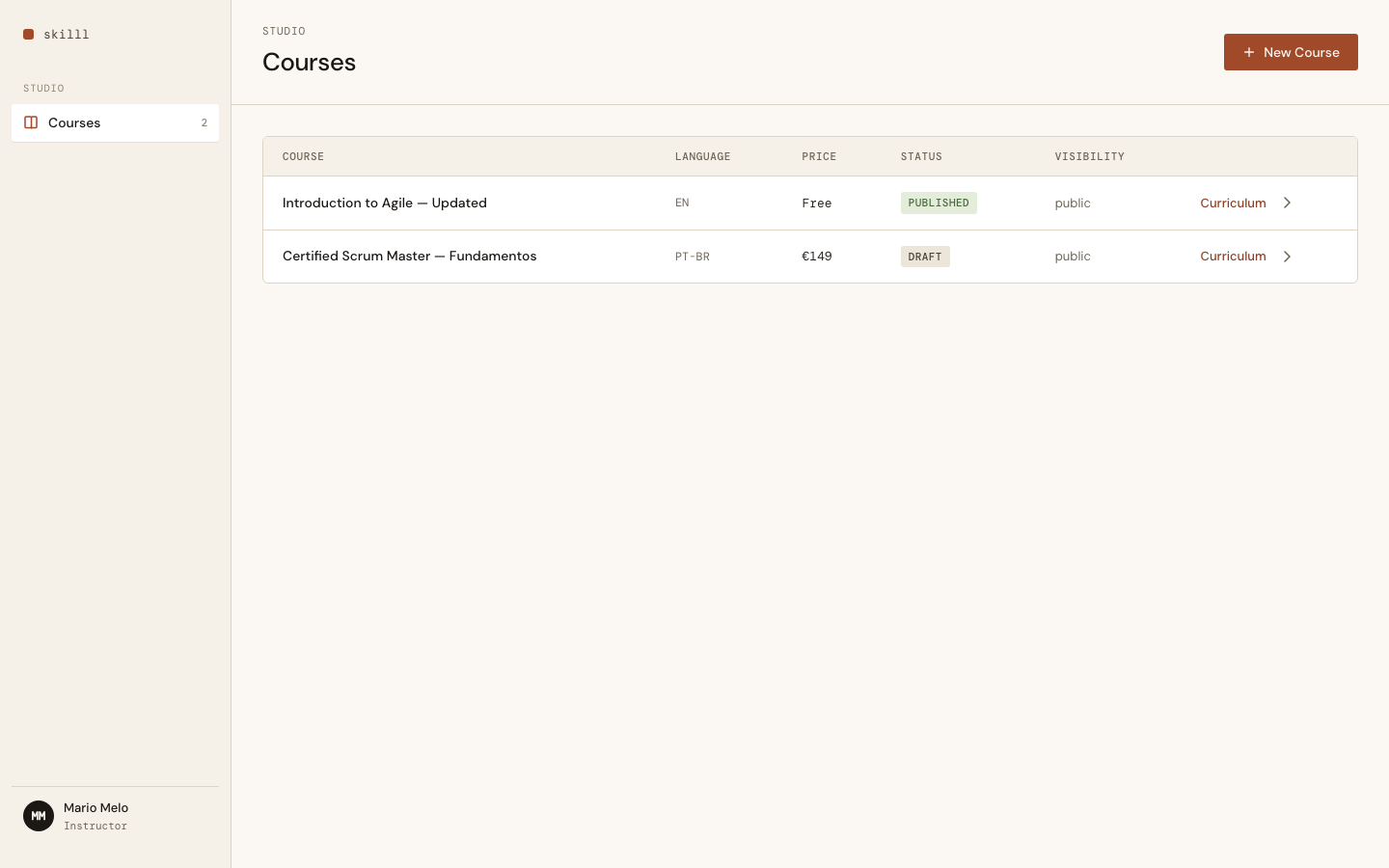
The list now has a "Curriculum" link per Course alongside the settings arrow.
Curriculum page — draft
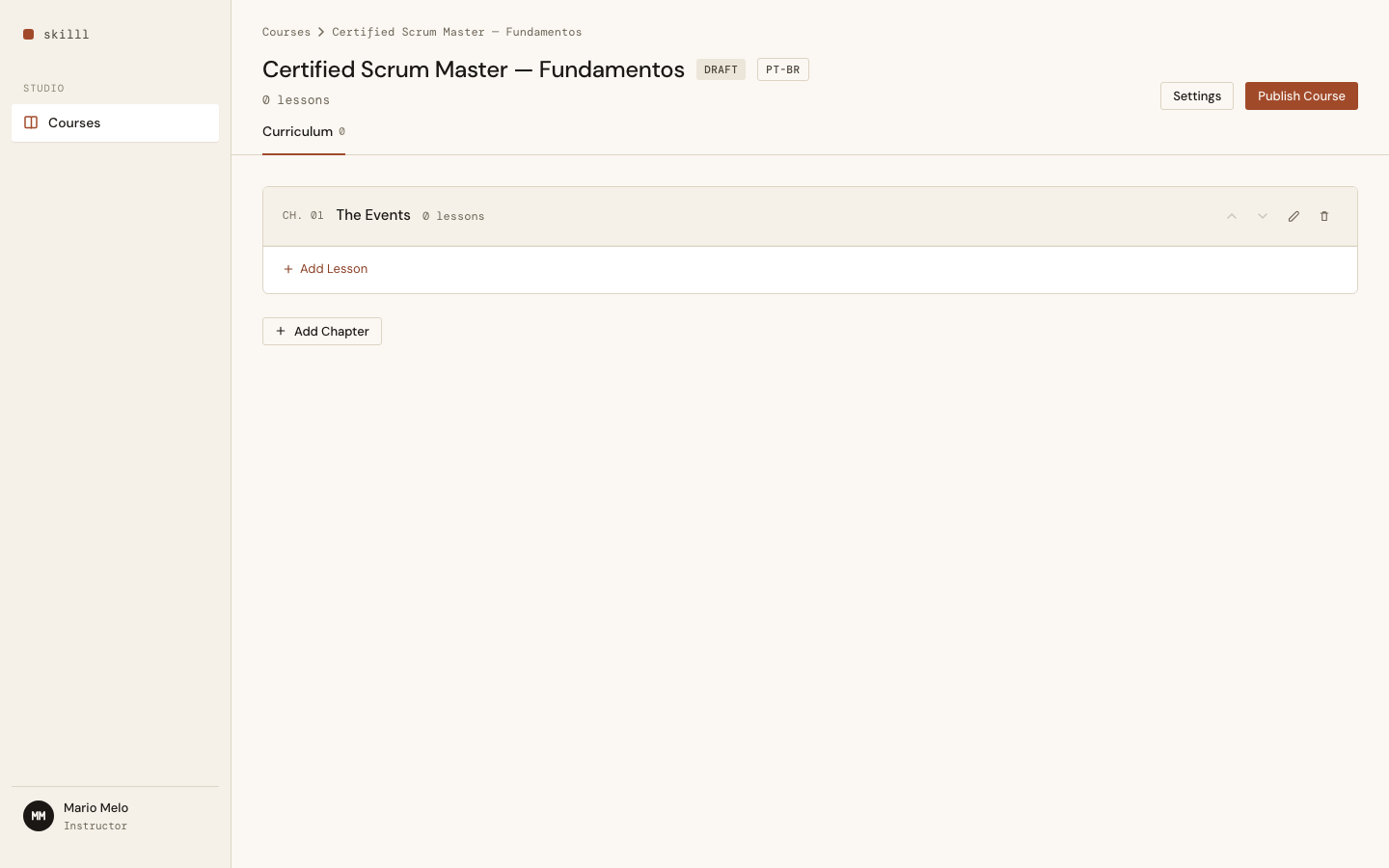
Chapter cards with lesson rows. ↑/↓ buttons on both levels, plus edit/delete/move icons. "Publish Course" button visible while in Draft state.
Add Chapter modal
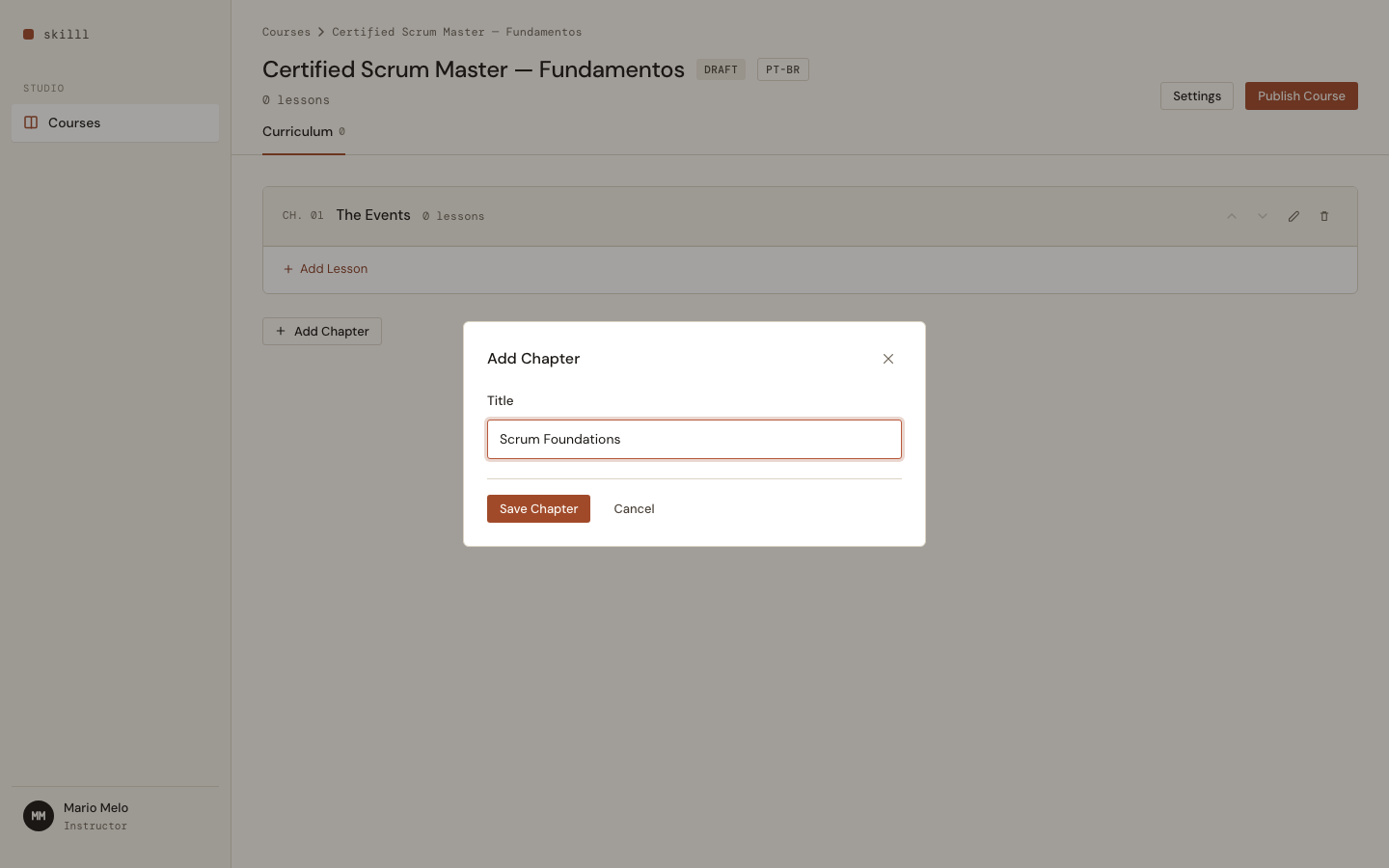
Lightweight modal for chapter title. Validates on submit — empty title shows an inline error.
Lesson editor — live preview
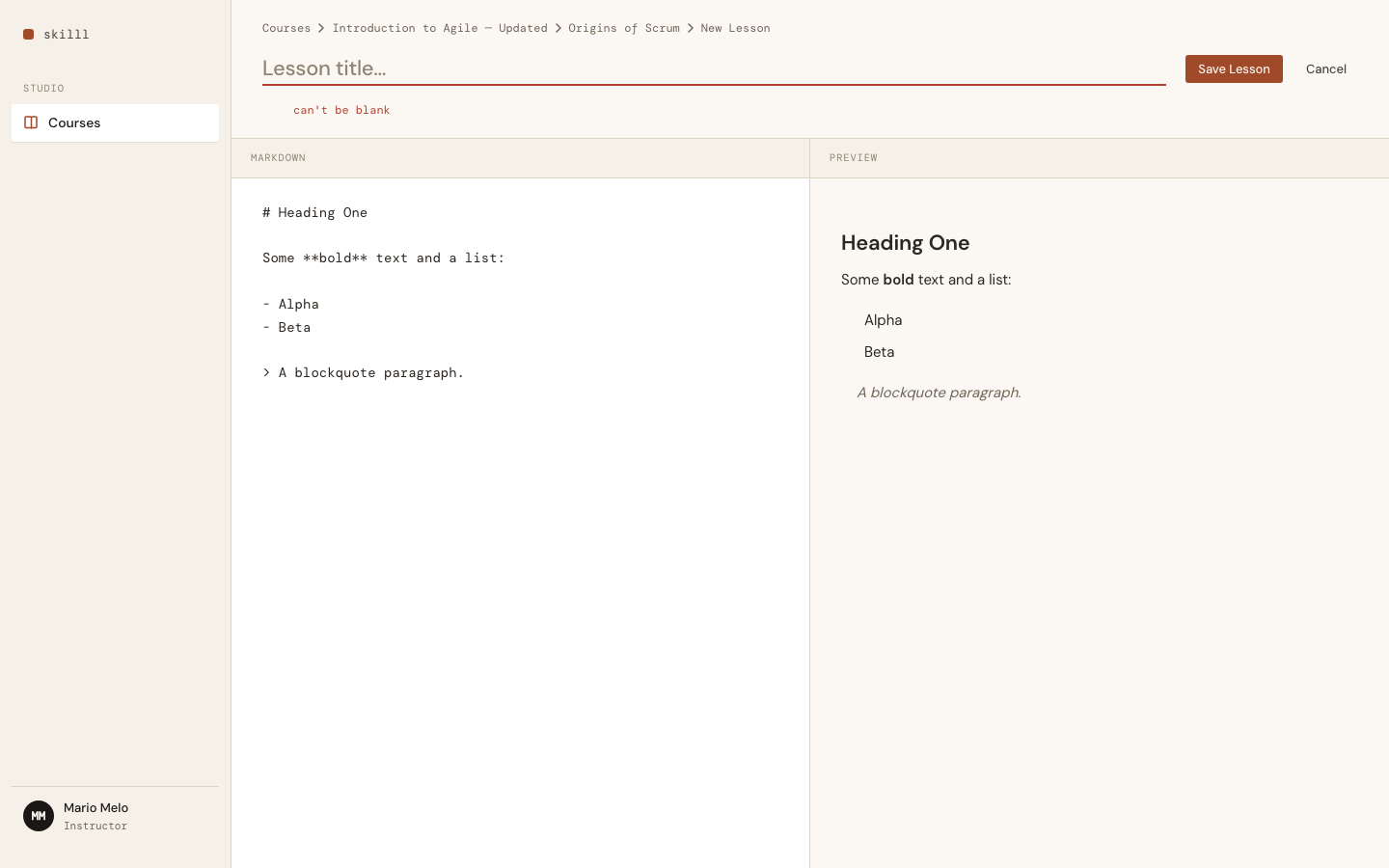
Full-page split editor. Left: raw Markdown in a monospace textarea. Right: rendered HTML updating in real time via LiveView — no JavaScript dependencies.
Curriculum page — published
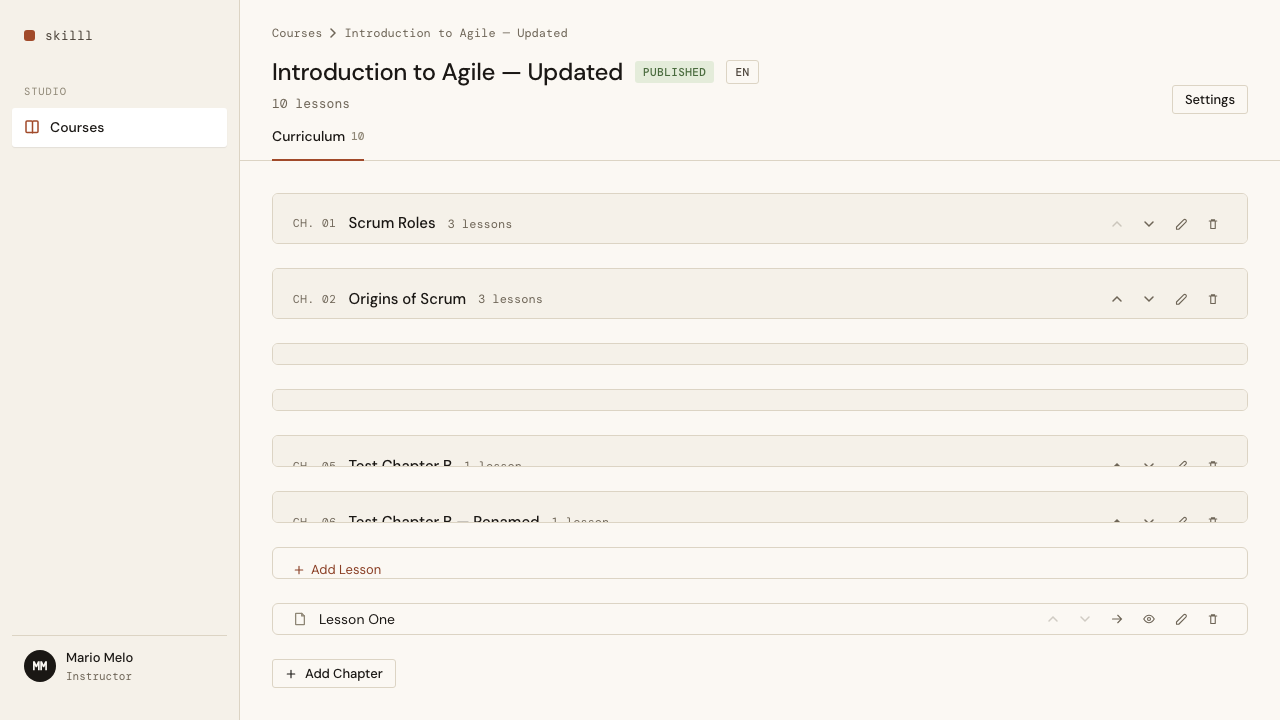
After publishing: status badge turns green, "Publish Course" button disappears. Editing remains fully available.
Acceptance criteria
- Add a Chapter to a Course, providing a title
- Edit a Chapter's title
- Delete a Chapter (cascades to its Lessons)
- Reorder Chapters with ↑/↓ buttons
- Add a Text Lesson with a title and a Markdown body
- Edit a Text Lesson's title and body
- Delete a Text Lesson
- Reorder Lessons within a Chapter with ↑/↓ buttons
- Move a Lesson from one Chapter to another
- Publish a Draft Course — immediately accessible to Students
- Continue editing after publishing
- Markdown body renders as HTML in preview and lesson view
Key decisions
Full-page lesson editor instead of a modal — Markdown content can grow long; a modal’s fixed-height textarea was too cramped. A dedicated route (/courses/:id/lessons/:lesson_id/edit) gives the editor the full viewport and makes the URL bookmarkable. No extra state machine needed — just push_navigate.
Live preview via server render — The preview pane is updated by the server on every phx-change event (debounced at 150 ms). This keeps Earmark (the Markdown library) on the server, avoids shipping a client-side Markdown parser, and makes the preview identical to what Students will eventually see — no client/server rendering mismatch.
No minimum structure validation — Publishing an empty Course or a Chapter with no Lessons is allowed. The Instructor owns the curriculum; defensive guards would just add friction to a tool used by a single person.
Next up: PBI 0020 — Enroll in a Free Course (Student self-enrollment, Enrollment record, access control).