The Card was three lines, and it sounded like a settings toggle:
As an admin, I want to display a notification banner on the main page and dashboards about planned downtimes for updates, so that all users are informed in advance.
Straightforward. A bit of text, a switch, render it at the top of a few pages. The design system even had the section drawn already, in server-settings.html:
<!-- MAINTENANCE -->
<div class="settings-section-title">Maintenance mode</div>
<div class="settings-section-desc">Enable a downtime banner across the platform. Students will see a warning...</div>
And that label — Maintenance mode — is where the easy story and the correct one part ways.
A name that promises the opposite of what you’re building
“Maintenance mode” is a term of art. On every platform that has one, it means the same thing: the site goes read-only, or offline, or behind a “we’ll be right back” wall. It restricts access. That is the defining property.
This banner does the exact opposite. It is an announcement. It warns everyone that downtime is coming — later, on a schedule the Instructor writes into the message — while the site stays 100% usable in the meantime. Nobody is locked out. Nothing goes read-only. If it worked like maintenance mode, it would be broken.
So the name got refused before a line of code was written, and the glossary got the distinction in writing:
Downtime Banner: A site-wide announcement the Instructor raises to inform everyone about planned downtime in advance. It is announcement-only — it never restricts access, takes the site offline, or makes it read-only; the platform stays fully usable while it shows.
Avoid: Maintenance mode (implies the site goes offline/read-only), outage banner, alert, notice
This isn’t pedantry. Actually gating the platform — read-only mode, a real maintenance wall — is a genuine, larger feature. Naming it and building it are separate jobs. Letting “Maintenance mode” ride would have quietly promised the big one and shipped the small one, and the first time an Instructor flipped the toggle expecting the site to lock, the bug report would have been philosophical.
Where it shows is a feature. Where it doesn’t is the feature.
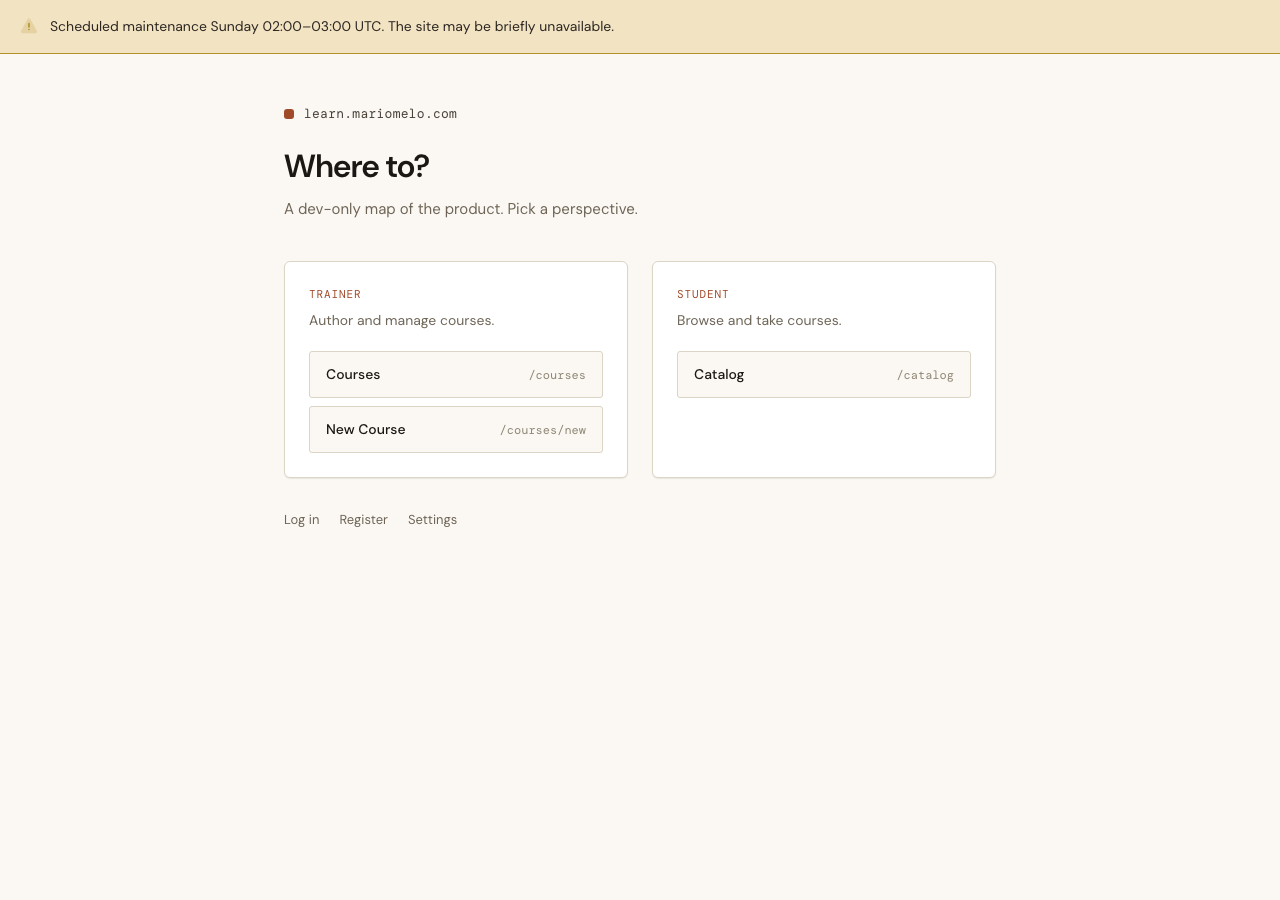
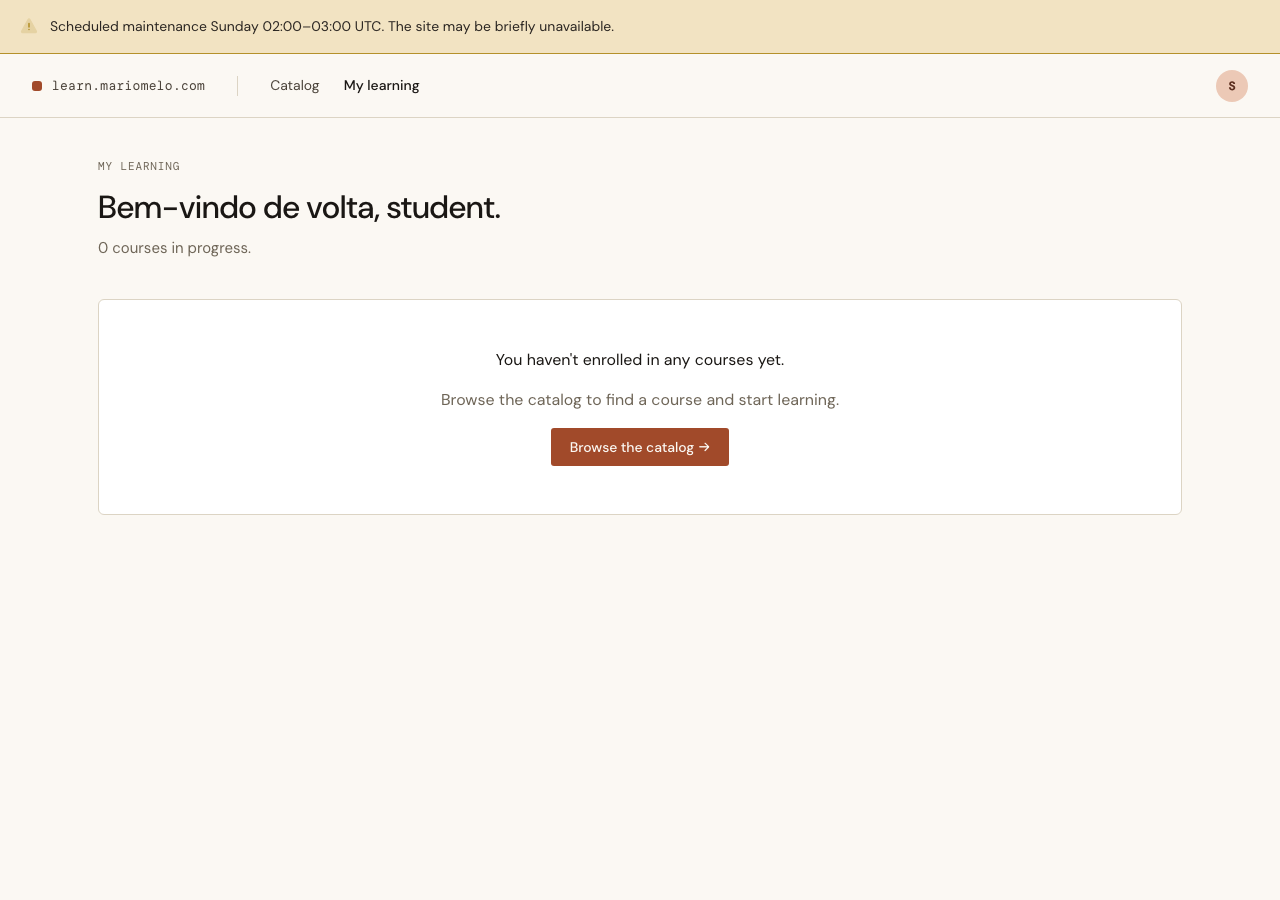
The banner appears on the “landing” surfaces — home, the catalog, the Student Dashboard, and the Instructor Studio. It is deliberately absent from two places: inside a Lesson, Quiz, or Word Match, and anywhere in the checkout flow.
That exclusion is the sharpest product decision in the whole item. A learner mid-Quiz or a buyer mid-checkout is doing focused, interruptible-at-a-cost work. An amber bar sliding announcements over their task is exactly the wrong moment. The banner informs; it must not distract mid-task.
flowchart TD
    B[("DowntimeBanner
singleton: enabled + message")]
    B -->|"read on load"| G{"surface
opts in?"}
    G -->|yes| Show["home · catalog · Dashboard · Studio
amber banner renders"]
    G -->|no| Hide["Lesson · Quiz · Word Match · checkout
nothing, ever"]
    style Show fill:#F2E3C2,stroke:#B5912A
    style Hide fill:#f6f5f2,stroke:#bbb,stroke-dasharray:4 3
And “opts in” is literal. The banner is not injected globally and then suppressed on the excluded pages — that would make the exclusion a blocklist, one forgotten entry away from leaking into a checkout. Instead each surface that should show it renders the component explicitly:
# core_components.ex — renders nothing unless the banner is actually showing
def downtime_banner(assigns) do
  ~H"""
  <div :if={Forgia.Platform.banner_showing?(@banner)} class="mm-banner mm-banner-warning" role="status">
    ...
    <div class="mm-banner-body"><p>{@banner.message}</p></div>
  </div>
  """
end
A Lesson page never calls it, so a Lesson page can never show it. The exclusion holds by construction, not by vigilance.
One banner, and the database says so
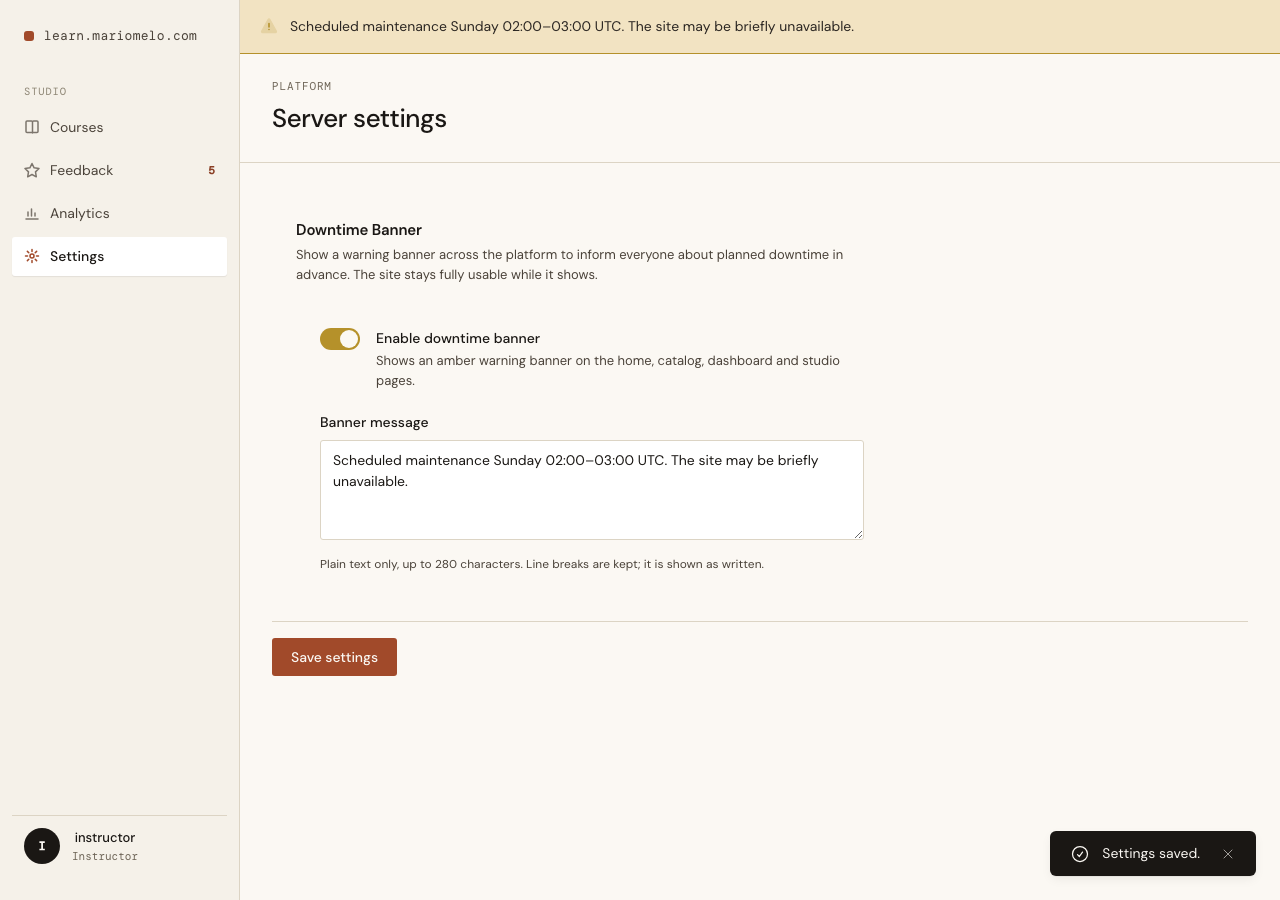
There is exactly one Downtime Banner. Not one per Instructor, not one per anything — the platform has a single announcement state. That “exactly one” is an invariant, and invariants are safest when the database enforces them rather than the application remembering to.
So the singleton is a real constraint, not a convention:
create table(:downtime_banners) do
  add :enabled, :boolean, null: false, default: false
  add :message, :text
  add :lock, :boolean, null: false, default: true
  timestamps(type: :utc_datetime)
end

create unique_index(:downtime_banners, [:lock])
lock is pinned to true and carries a unique index. A second row cannot be inserted — it collides. The context always writes the row:
def update_banner(attrs) do
  get_banner()
  |> DowntimeBanner.changeset(attrs)
  |> Repo.insert_or_update()
end
get_banner/0 loads the existing row (or an unpersisted default), and the changeset writes against that. This also sidesteps a subtlety that has bitten this codebase before: persist against the database baseline, never an in-memory-mutated struct. Reload, then change, then save.
You cannot raise a blank alarm
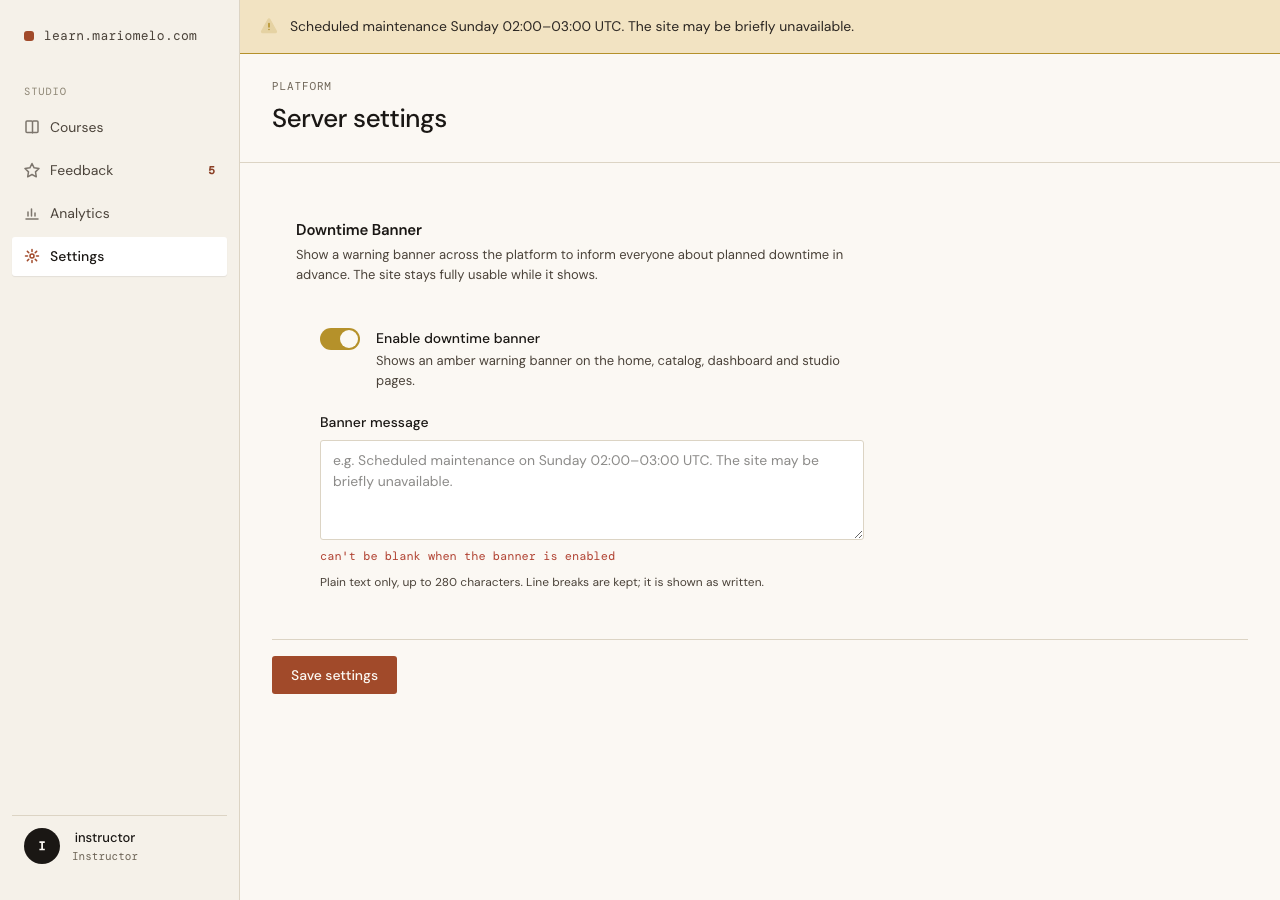
An amber warning bar with no words in it is worse than no bar at all — it’s a jolt of alarm with no information. So the rule lives on the changeset: message is required, but only when the banner is enabled.
defp validate_enabled_needs_message(changeset) do
  if get_field(changeset, :enabled) && is_nil(get_field(changeset, :message)) do
    add_error(changeset, :message, "can't be blank when the banner is enabled")
  else
    changeset
  end
end
The asymmetry is deliberate. Enabled-with-no-message is rejected; disabled-with-no-message is fine. That second clause is what lets a disabled banner keep its text — turn it off, and the message stays in the record so it can be switched back on next month without retyping.
The message is text, and text stays text
The banner message is plain text, rendered escaped — HEEx interpolation ({@banner.message}) is the XSS guard. An Instructor who types <b> sees the characters <b>, and an attacker who somehow set <script>alert('xss')</script> as the message gets it rendered as inert text, not executed. Line breaks are preserved with white-space: pre-line, so the message reads as written without opening the door to markup. The verification proved it end to end: the rendered HTML contained <script> and never the live tag.
What the users see
Logged-out visitor, Student, Instructor — everyone gets the same amber bar at the top of the page, on load. There is no live push: flip the toggle and the change is seen on the next navigation or refresh, which for an announcement about future downtime is exactly the right amount of immediacy.
What shipped
A new Forgia.Platform context — the future home for the rest of Server Settings (integrations, rate limits, the certificate issuer, default language), all of which stayed firmly out of scope as their own Card. Today Platform holds exactly one thing, and holds it well: a Downtime Banner that informs everyone, distracts no one, and is named after what it actually does.
The design system handed over a section called “Maintenance mode.” The best thing this item did was not build it.